This has been the snowiest winter I can remember! With almost two feet of snow last week in our backyard in New Jersey, and flurries out the window as I’m writing this post, I can’t believe how much snow we’ve gotten this winter. We’re not too far away from the official start of spring. If you are searching for spring school decorations and ideas to use over the next few weeks, you might be surprised by how much Artificial Intelligence can help.
I’ve had the chance to lead many webinars and in-person workshops this year on the topic of AI in education. During these sessions, I love sharing ways to leverage AI for instructional planning. One of my favorite things to discuss is how we can use these tools to save time and scale our impact. Using AI to create supplemental content isn’t just about efficiency. It is about opening up new opportunities for creativity in your instructional design. I sometimes use the phrase “wish list” to describe the idea of doing things we just wouldn’t have time to do in the past.
Today on the blog, I’ll share strategies for how to use several different AI tools to create spring school decorations for this season. Whether you are looking to brighten up a hallway or create a themed bulletin board, I hope these ideas will help you bring the spirit of spring into your classroom!
Why Use AI for Decorations?
When we think about classroom decor, we often think of store-bought posters or hours spent with a pair of scissors. As someone who has wrestled plastic out of a laminating machine more times than I’d like to admit, it’s wild to see all the things you can do with the help of AI.
AI-powered tools allow us to create something truly customized to your students’ needs and interests, as well as your curriculum goals. You can decide exactly what kind of imagery or text fits your specific grade level and subject area.
As an extra bonus, many of these tools provide a fantastic way to model “AI literacy” for your students. They see the final products you’ve co-created with a chatbot or image generator. And you can model best practices like including a citation.
10+ Ideas for Spring School Decorations
There are so many directions you can take when combining technology with traditional spring school decorations. Here are several ways to use AI to make your space feel like spring.
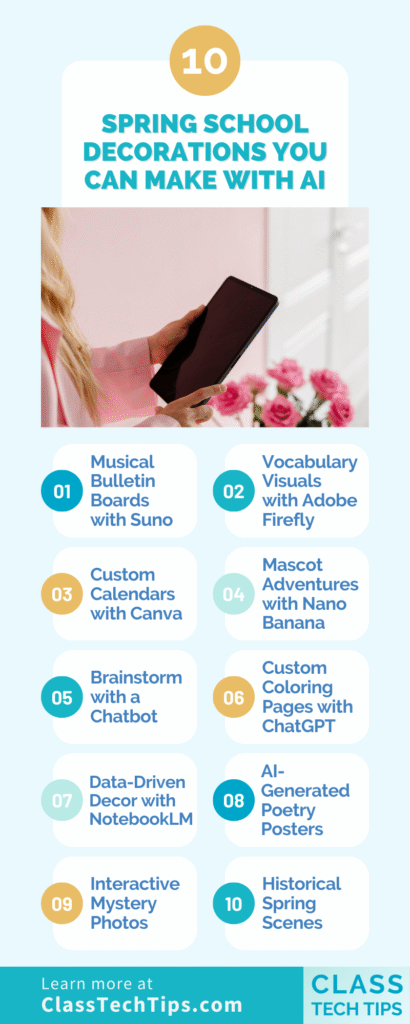
Musical Bulletin Boards with Suno
Music can be a powerful way to engage students. You can use an AI tool like Suno to write a song about a specific spring topic, such as the life cycle of a butterfly or the science of the spring equinox. Once the song is generated, you can connect that audio to a QR code. Post the QR code on your bulletin board so students and visitors can scan it and listen to the song while they look at the student work on display.
Vocabulary Visuals with Adobe Firefly
If you are working on seasonal vocabulary, Adobe Firefly is a great resource. You can use it to make high-quality images related to spring vocabulary words. Instead of using generic clip art, you can generate specific scenes like a “vibrant meadow in the morning mist” or “dew drops on a tulip.” These images can be printed and used as labels or posters to help students build visual connections to new words.
Custom Calendars with Canva
Canva has integrated several AI tools that make design much faster. You can use Canva’s AI tools to create a custom calendar for your spring decorations. You might prompt it to create “watercolor illustrations of spring flowers” for an April calendar. As the prompt writer, you can decide what directions to give the tool to customize the experience.
Mascot Adventures with Nano Banana
Can you bring a bit of school spirit into your spring school directions? You can use the image generation tools in Gemini (aka Nano Banana) to put your school mascot in a spring-themed location. Whether it’s a tiger sitting in a field of daisies or a hawk flying over a forest, these images make for unique door decorations that students will find delightful.
Brainstorming with a Chatbot
Sometimes the hardest part is just getting started. You can ask a chatbot for ideas for spring decorations that connect specifically to what you are teaching this season. For example, if you are studying weather patterns, ask the AI for “bulletin board ideas about spring storms.” This is a great way to use AI as a collaborator in your planning process.
Custom Coloring Pages with ChatGPT
If you’ve followed the blog for a while, you might know I love creating custom resources. I’ve actually used ChatGPT to create coloring book pages for my niece. It is super useful now that these tools can handle adding more text to the screen accurately. You can generate coloring pages that feature specific spring scenes or even include your students’ names or current vocabulary words.
Data-Driven Decor with NotebookLM
To make a math or science connection, consider using Gemini’s Nano Banana or NotebookLM to create infographics around spring concepts. You could feed the AI data about local rainfall or the timing of blooming flowers and ask it to help you visualize that information. These infographics make for excellent “smart” decorations that reinforce curriculum standards.
AI-Generated Poetry Posters
A dedicated poetry corner is a wonderful spring-themed addition to your decor. You can prompt a chatbot to write a series of haikus about spring, focusing on themes like rain, budding flowers, or birds. Once you have your text, use an image generator to create landscapes that match the mood of each poem. You can then print these together and create a display for students, colleagues and families.
Interactive Mystery Photos
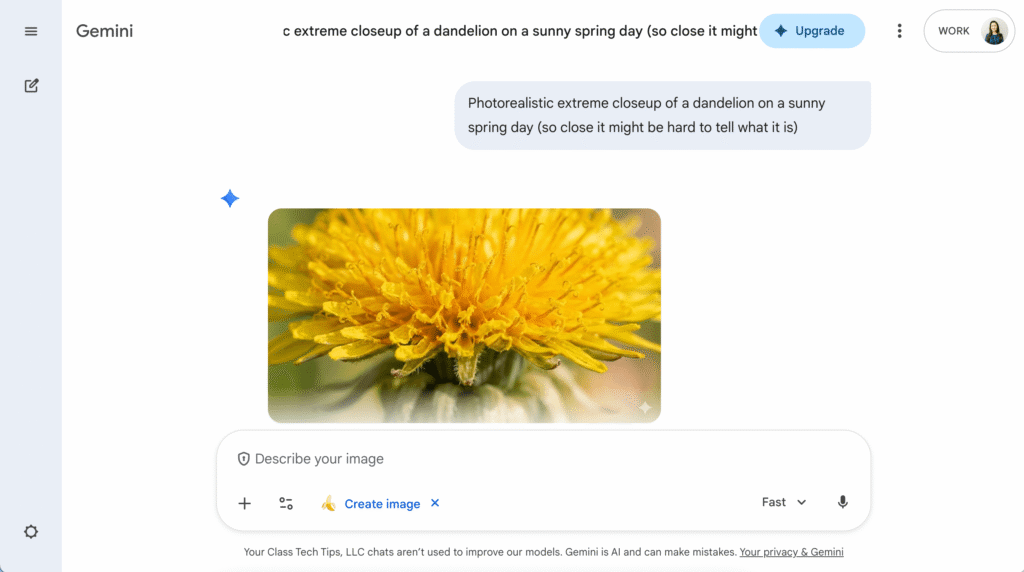
You can use an AI image generator to create extreme close-ups of spring nature items, such as the intricate patterns on a bee’s wing or the fuzzy texture of a dandelion. Post these “mystery photos” on a bulletin board and have students guess what they are. This is a fantastic way to encourage observation skills and spark curiosity about the natural world as it wakes up outside.
Historical Spring Scenes
If you are a social studies teacher, you can use AI to bring history to life in a seasonal way. Use an image generator to imagine what a specific historical site, like the Roman Colosseum or a Colonial American village, looked like during the spring hundreds of years ago. These visuals help students connect with the past on a more human level, showing that history didn’t just happen in black and white, but in full, vibrant color. You can also use it as an opportunity to talk about spotting AI-generated images with students.
Geometric Flower Art
To help students see the math in nature, you can use AI to generate patterns based on specific geometric shapes. Prompt a tool to create “symmetrical flower patterns using only triangles and hexagons” or “mandala designs inspired by spring blossoms.” These posters can show how geometry is foundational to the beauty of the world around us.
Spring “Would You Rather” Prompts
I love discussion questions, and they are a great way to build community. You can ask a chatbot like ChatGPT to generate 20 spring-themed “Would You Rather” questions. These might include fun dilemmas like, “Would you rather have a nose that smells like a lilac or ears that look like bunny ears?” Print these prompts and put them on a daily discussion wall or a hallway banner to give students a fun way to interact with one another as they move through the school.
Floral Lettering and Fonts
Sometimes you just need the perfect header for a main hallway banner. You can use AI design tools, like the “Text to Image” or “Text Effects” options in Adobe Express, to create unique, floral-themed 3D lettering. Imagine the word “SPRING” rendered in a font that looks like it’s woven from vines and cherry blossoms. When I share this tool in workshops and webinars, I also like to add the reminder that you want to make sure you’re mindful of the accessibility needs of your students and create fonts that are high-contrast.
Making it Happen in Your School
Getting started with these tools is easier than you might think. Most of these platforms offer a free version or a trial period so you can explore the features before diving in. When you use AI to help with your spring school decorations, you are doing more than just making a space look nice. You are showing students how technology can be used as a tool for expression and creativity, and modeling transparent AI use, too.
If you are looking for more ways to integrate technology this season, you might want to check out my podcast episode on lesson planning tips or explore over a dozen top posts on the blog.
Are you ready to start creating your own spring school decorations? I can’t wait to see what you and your students come up with. Reply to my weekly newsletter or reach out on Instagram to tell me all about it!