How to Create Slides with Gemini: A Step-by-Step Guide for Teachers
Learn how to create slides with Gemini step by step. This guide for teachers covers tips, examples, and types of slide decks you can make.
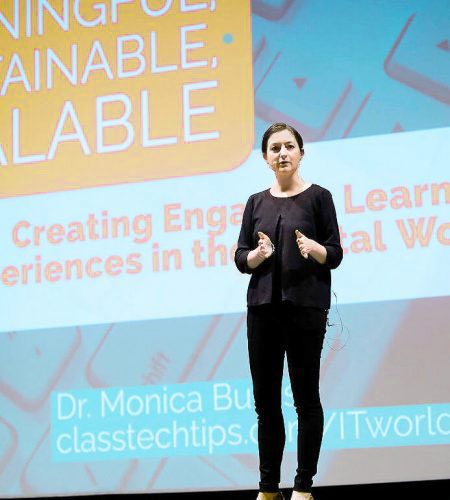
I’m a former classroom teacher and now spend my time sharing EdTech tips, strategies and activity ideas to make technology integration easier in your classroom.
Whether we’ve met at a conference or special event, you’ve followed along with my EdTech tips for years, or simply stopping by for the first time today, I’m so glad you’re here!
“We have had the pleasure of working with Dr. Burns for both regional workshops and conference keynotes. Her facilitation style is both reassuring and welcoming for all who work with her, and her knowledge of the intersection between pedagogy and technology is top-notch. Her message and vision, that our profession will recognize that we have to deeply understand the purpose of implementing a technology tool before we utilize it (the idea of focusing on tasks before apps), is a foundational one for all at this time.”
– Fred Ende, Director of Curriculum & Instructional Services, PNWBOCES

Learn how to create slides with Gemini step by step. This guide for teachers covers tips, examples, and types of slide decks you can make.

AI prompts for teachers to turn messy notes into rubrics, newsletters, and slide decks. Save time on formatting this week.

Build students’ news literacy & critical thinking with quick routines and strategies from Dr Cathy Collins to spot AI content across subjects

Caroline Haebig spotlights practical examples of AI in education, ethical guidance, and prompt strategies to enhance teaching and learning.
“EdTech Essentials: The Top 10 Technology Strategies for all Learning Environments by Monica Burns removes all of the clutter of what’s out there and available for teachers and students. Monica shares tons of ideas that put students first in both face-to-face and online learning spaces. This book is filled with practical ideas, resources, classroom examples and reflection opportunities. Readers are sure to walk away with a filled tool belt to help students become more productive, collaborative and innovative. A MUST-read for every educator’s professional toolbox!”
– Dr. Natasha Rachell, Digital Learning Specialist, Atlanta Public Schools
EdTech tips and resources for educators, straight from Monica’s desk every Monday. Don’t miss a thing.