Are you looking for a faster way to put together quizzes, exit tickets, or end-of-unit exams? Building a great classroom quiz from scratch might feel like a daunting task. You want to make sure you include the right mix of questions, have an answer key ready, and choose the best way to get it in the hands of your students. And if you teach more than one section, you need a way to share the quiz with your students without sending out twenty different documents.
When I first started teaching, it seemed like there was always a pile of papers to review. With lots of student work to go over, I didn’t want to make a mistake grading quizzes or reviewing student submissions after a long day. I wish there had been a simple way to build a quiz, share it with a link, and pull the results into one place. If you’re looking for a smoother way to create, share, and review quizzes, Jotform has you covered.
Today on the blog, we’ll take a look at how to build custom classroom quizzes with Jotform. We’ll go over some of the free templates for teachers, how to use AI Agents, and how easy it is to use Jotform’s Quiz Maker.
Why Online Quizzes Save Teachers Time
Quizzes are one of the most common assessments teachers create. You might use one to check for understanding after a mini-lesson, to launch a unit with a pre-assessment, or as a review activity before a test. Whatever the goal, the time it takes to build, share, and review a paper quiz can add up fast.
That’s where an online quiz tool comes in. With Jotform, you can build a quiz in no time, share it through a link, and use the response data to plan your next lesson. If you’ve joined me for a session on formative assessments in the past, there’s something I often say: There’s no point in collecting data you aren’t going to use. And if you’re giving quizzes to students, you want to make sure it’s easy to organize and review the results.
Try Jotform’s Quiz Maker for free >>
How Jotform Makes Quiz Creation Easier
There are a few different ways to build a classroom quiz using Jotform. Pick the method that matches your style and how much time you have. Here’s a quick look at three ways you can create a quiz with Jotform.
Start with a template. Jotform has nearly 2,000 quiz templates ready to go. You’ll find math quizzes, geography quizzes, vocabulary quizzes, spelling tests, pop quizzes, trivia quizzes, and more. Browse the library, then pick something close to what you need. Once you’ve chosen a template, you can customize it with your own questions in the drag-and-drop builder.
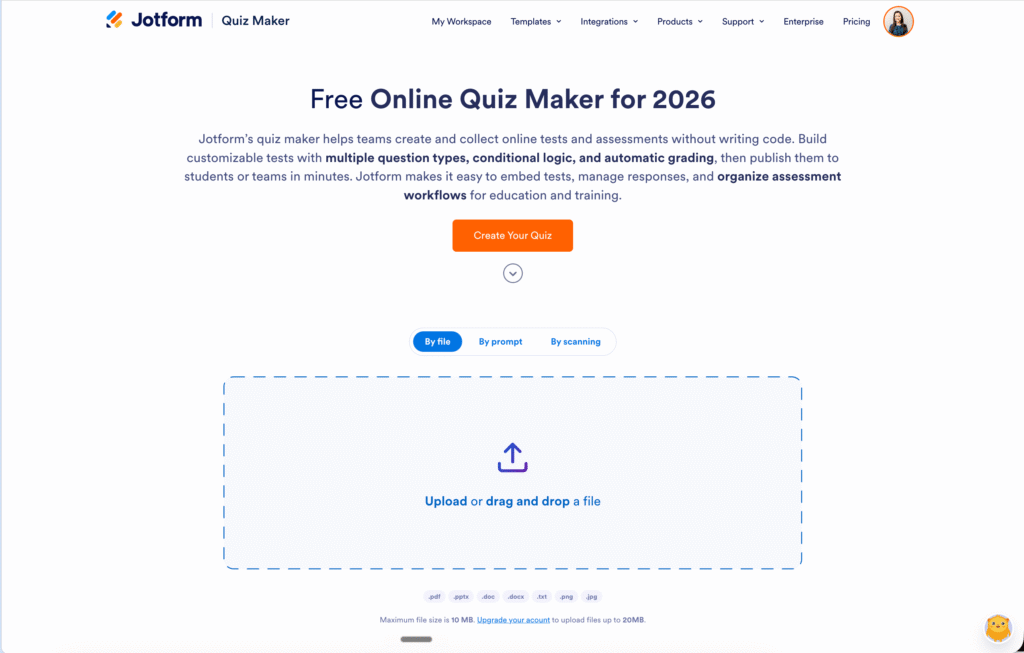
Use the Quiz Maker tool with AI. Jotform’s Quiz Maker gives you a few options for building a quiz. You can create a quiz based on an existing file by uploading a digital file or scanning a physical one. You can also build a quiz using AI prompts. So if you have an old paper quiz, a study guide, or even a chapter outline, you can turn it into a quiz that lives online.
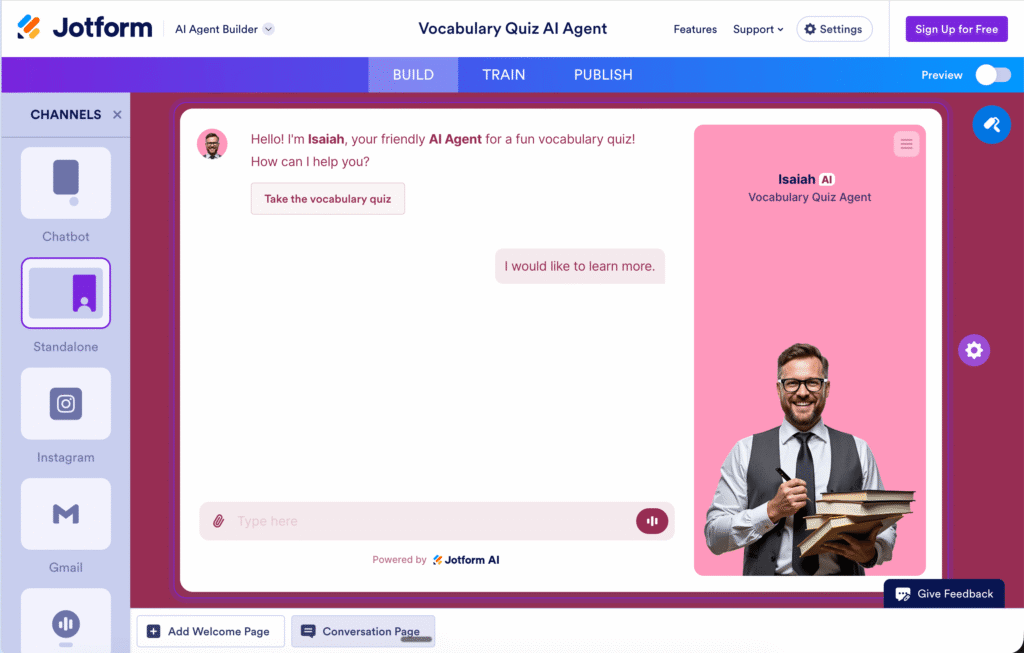
Build with an AI Agent. Jotform’s AI Agent templates can guide a student through a quiz in a conversational way. It’s a unique experience for students and great for self-paced practice or independent work.
Creating a Quiz with Jotform’s Quiz Maker
In addition to searching for a template and making it your own, you might start creating your quiz by using Jotform’s Quiz Maker tool. As you can see in the video above, Jotform makes it easy to get started. You can upload a document, type in a prompt, or scan a document. Then you can decide on the number of questions you’d like to include in the quiz as well as the type of questions.
Once Jotform’s Quiz Maker creates the quiz, you’re in the driver’s seat. You can customize the questions and make sure it’s “just right” before sharing it with your students. As you review the questions created by Jotform’s Quiz Maker, you can even add your own questions if there’s something you want to make sure to ask students about. As soon as you’re happy with the quiz, click on the share button for a few different ways (including a quick link) to share the quiz with your students.
4 Jotform AI Quiz Agent Templates
If you want to skip the blank page entirely, AI Agent templates are a great place to start. The idea of an “AI agent” might feel intimidating at first, but Jotform makes it easy to set up and train the AI Agent thanks to templates like the ones below. Here are four you can explore as you plan for the year ahead.
Quiz Manager AI Agent: A general-purpose agent that can help you organize and run quizzes for your classroom.
Vocabulary Quiz AI Agent: A great fit for ELA classrooms, world language teachers, or anyone building academic vocabulary across content areas. This is also a great one to start with, since all you need is a list of vocabulary words.
Basic English Exam AI Agent: Useful for English language learner support, summer school, or end-of-year review.
Geography Quiz AI Agent: Built for social studies teachers covering states, countries, capitals, landforms, and more.
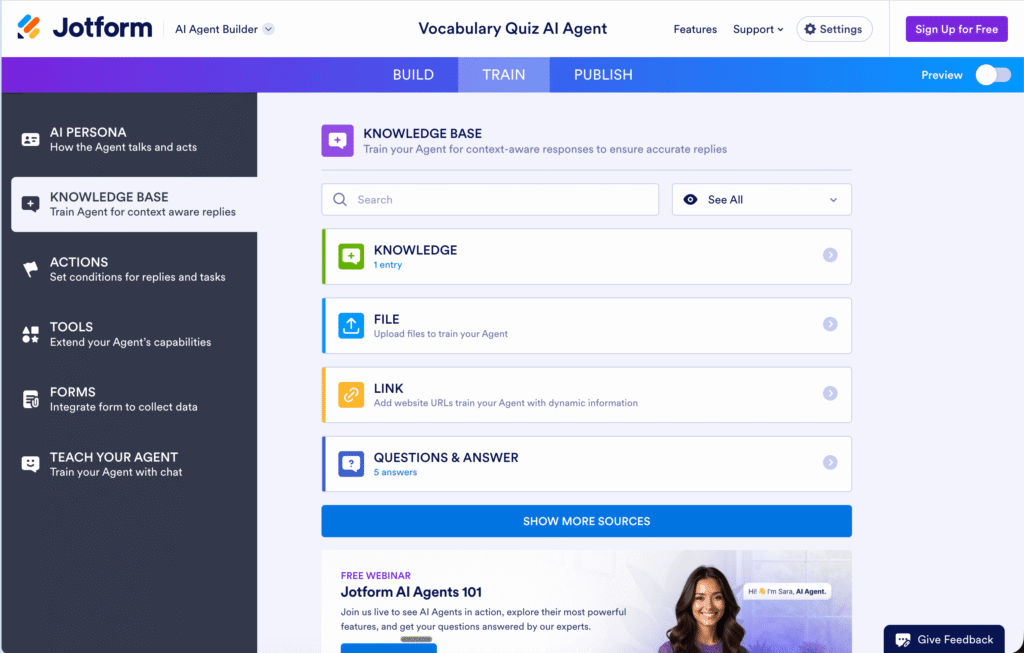
Each AI Agent template is fully customizable, so you can adapt it to your grade level, subject, and learning goals. If you’ve used the Jotform Form Builder before, the experience will feel familiar. And as you can see from the screenshots above, you provide the training data (like a list of vocabulary words) and Jotform’s AI Agents create the experience for your students.
Sign up for Jotform and try out the Quiz Maker and AI Agent templates >>
Ready to Build Your First Custom Quiz?
If you’ve been searching for the easiest way to build custom classroom quizzes and exams, the free templates in Jotform and the AI-powered Jotform Quiz Maker are worth exploring before you start the new school year. The combination of nearly 2,000 templates, AI Agent options, and AI-generated quizzes gives you plenty of flexibility.
Want to give it a try? Head to Jotform’s education page and sign up for a free account. Whether you’re refreshing a quiz you’ve used for years or putting together something completely new, building it in Jotform will save you time on sharing the quiz, collecting submissions, and reviewing the results.