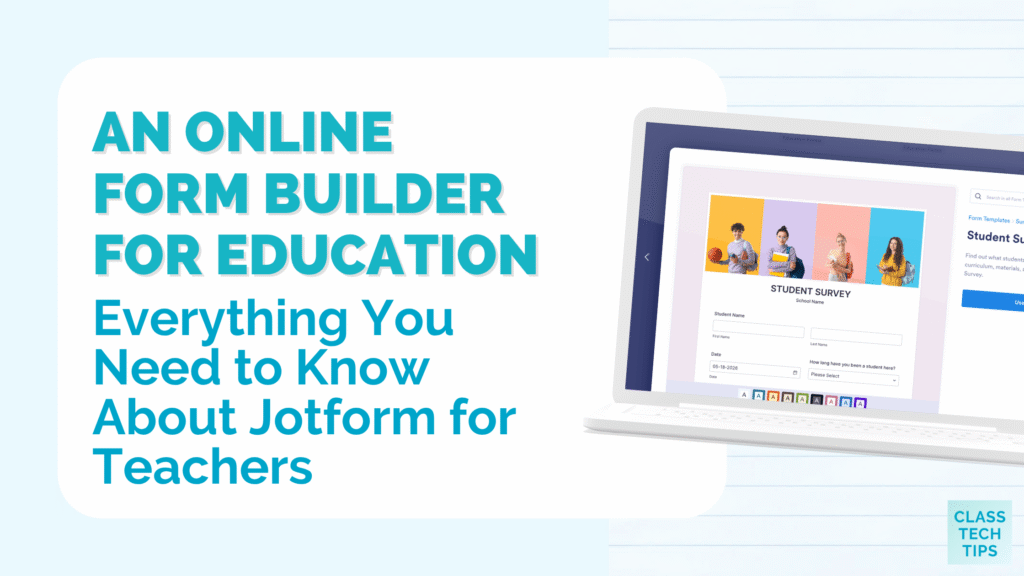
Do you collect information from your students, colleagues, or families in your school community? Building a form to schedule meetings like parent-teacher conferences, or to handle your own planning and administrative tasks, might be easier than you think. You can build a form without any coding experience with the user-friendly, super helpful tools built into Jotform.
I’ve been a superfan of Jotform for a long time now: It gives teachers so many options to build forms to share with students in their classrooms, to use behind the scenes to keep track of information, and so much more. Jotform has lots of features that make form-building simpler than ever, and you can even use Jotform AI to create a form using a simple prompt.
Today on the blog, we’ll take a look at how you can make a form without any coding experience, use all of the helpful features in Jotform, and even try out Jotform AI!
Everything Teachers Need to Know About Jotform
Teachers wear many hats throughout the day. One moment you’re gathering homework. The next you’re scheduling parent conferences or a potluck. You might even need to collect signatures for a field trip permission slip. Each of these tasks calls for a different kind of form, and Jotform makes it easy to quickly build a form you can share to collect information and stay organized.
Jotform was built with simplicity in mind, so there is no coding involved. Instead, you drag and drop the fields you need, choose a few customization options, and share the form with a link or embed it into a website. If you’ve joined me for a webinar or workshop, you’ve likely seen Jotform in action, especially when I talk to teachers about formative assessments or ways to stay organized.
In addition to the drag-and-drop form builder, Jotform AI now lets you take an idea for a form and bring it to life. If you can describe the form you want in just a few sentences, Jotform AI can create a first draft for you. From there, you can adjust the questions and design until everything fits your needs. This feature is especially helpful when you’re short on time and need something polished fast, or have an idea but aren’t quite sure where to start.
Sign up for free and create your first form >>
Features That Make Form Building Effortless
While Jotform feels simple on the surface, once you start exploring, you’ll discover features that can elevate even the most basic form. Here are a few that are perfect for teachers.
Conditional logic is one of the most powerful tools inside Jotform. With conditional logic, you can show or hide questions based on how someone answers an earlier one. For example, imagine you share a form with families at the start of the school year so you can learn more about each student. If a parent indicates that their child has a food allergy, the form can automatically prompt them for more details. Because of this, your forms feel personalized and never overwhelming.

Customization options for a perfect form
Within Jotform, you also have access to customizable question types. Whether you need short answer fields, multiple choice, dropdowns, rating scales, file uploads, or even signatures, Jotform has you covered. As you build your form, you can simply choose each item you want to include from the Elements sidebar. This flexibility means your forms can match exactly what the task calls for, instead of forcing you to settle for limited options.
The file upload option gives you lots of ways to collect information. This feature alone can transform how you collect student work. Imagine sharing a single link that lets every student in your class submit a PDF, an image, or even a short video. Now your email inbox is no longer overflowing with attachments. Everything lands in one organized place within Jotform where you can review it on your own schedule.
In addition to these features, Jotform offers strong customization options for the look and feel of your forms. You can adjust colors, fonts, and branding to match your classroom or school identity. Small touches like a class logo or a friendly color palette can make a form feel more inviting to students and families.
Thousands of Education Templates to Save You Time
I love a template! It gives you a starting point for creating something and can help you envision different use cases to try. Just like writing an email or a lesson plan, a blank page can feel intimidating as a starting point. Sometimes the hardest part of building a form is staring at a blank screen.
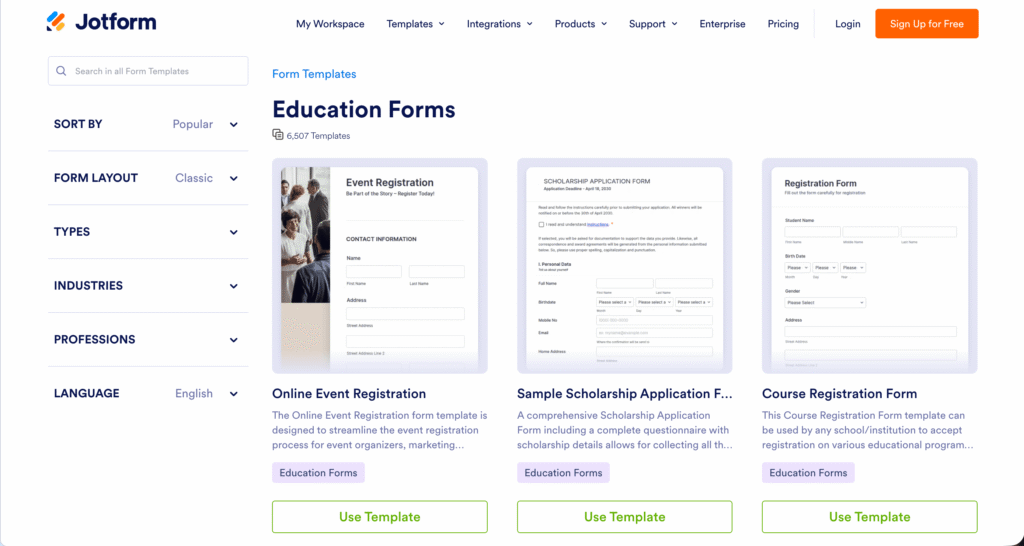
Jotform gives you thousands of education templates to choose from. You can browse the library, pick a template that matches your goal, and start customizing right away.
Sign up for free and create your first form >>
Templates to use with students
In the library, you’ll find lots of form templates to use with students. The template options include homework upload forms, class polls, digital reading logs, and quick exit tickets. These templates are perfect for collecting work and feedback, and keeping all of the submissions organized. Since students can submit through a simple link, they can complete forms from any device they have at home or school, including a mobile phone, tablet, or laptop.
Templates to use with families
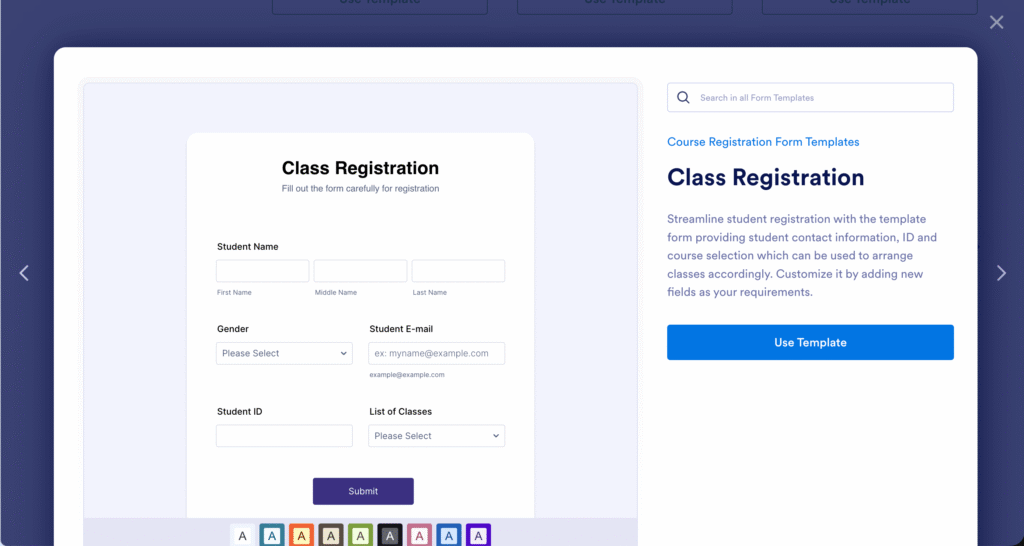
There are also plenty of form templates you can try out when creating a form to share with families. In the template library, you’ll find permission slip forms, parent-teacher conference signup sheets, student progress report forms, and family communication surveys. These templates save you a huge amount of time at the start of the school year and during conference season. Plus, the digital format makes it easier to track responses than chasing paper forms around your classroom.
Templates to use behind the scenes
For teachers and administrators, there are lesson plan forms, student assessment forms, report forms, and many more. Whether organizing your own planning or collaborating with your team, you can find a template that connects to lots of tasks on your to-do list.
Because every template is fully customizable, you’re never locked into someone else’s idea of what a form should look like. You can adjust questions, design, and branding until the form fits your classroom and school perfectly.
Build a Custom App to Organize Everything
In addition to creating forms on the Jotform website, you can also build your own app (no coding experience needed!). Jotform lets you bundle all of the forms related to your class into a single app.
How does this work? Let’s say you have a homework upload form, a digital reading log, a parent communication form, and a permission slip request. Rather than sharing four separate links throughout the year, you can bundle them into a single app. Students and families simply open the app to find every form they need in one spot.
In this example, families always know where to go for anything related to your class. The app reduces the chance of lost or forgotten links, and it gives your classroom a more polished and professional feel.
When you build your classroom’s app with Jotform, you can also add other resources, such as links to important websites, classroom contact information, or short video introductions. The app becomes a true hub for your classroom community and something you can keep up to date all year long.
Try Jotform for Free and Save With Education Discounts
Ready to see Jotform in action? You can sign up for free today! The free plan gives you plenty of room to test the features, and many teachers find it covers their everyday needs.
If you decide you want to upgrade, Jotform offers a generous education discount. Individual teachers who purchase a single-user plan are eligible for a 50% discount. Schools, universities, and districts that purchase multiuser plans can save 30% off the regular price. With the multiuser option, you can give every teacher in your building access to the same powerful tools.
How to Get Started With Jotform Today
Getting started with Jotform only takes a few minutes. First, head over to the Jotform education page and create your free account. Next, browse the education template library to find something that matches a need in your classroom. Then customize the questions, design, and settings to fit your students.
Once your form is ready, you can share it with students, colleagues, and families through a link, email, QR code, or by embedding it on your class website. After people start submitting their responses, you can view, sort, filter, and export the data in whatever way works best for you.
If you’ve been searching for a no-code form builder, this one is certainly worth a closer look. The combination of thousands of templates, deep customization, AI assistance, app-building tools, and education discounts makes it a strong choice for classrooms of every size.
Ready to give it a try? Head over to the Jotform education page and create your free account today. You may be surprised at how quickly it becomes a regular part of your teaching toolkit!