As a classroom teacher, I definitely knew the feeling of coming to the end of the day but still having plenty of tasks to tackle on my to-do list. You might have had the same experience of feeling like you’re running on fumes. But you still have a rubric to format, a newsletter to draft, and a folder full of resources that need organizing.
All of these tasks are important, but there is only so much time in the day. As your to-do list grows, the items on your list might start to pull you away from the parts of your job that matter most. We want to spend more time connecting with students and creating meaningful learning experiences.
And this is where AI can help teachers. It’s not going to replace your expertise. But it can help you reclaim some of that time and what I often think of as “brain capital.”
Helping Teachers Save Time
I’ve spent the past decade sharing tips, strategies, and ideas for educators, all with a commitment to making EdTech easier. And over the past couple of years, I’ve been exploring how AI-powered tools like ChatGPT, Gemini, Claude, Copilot can help teachers streamline some of the items on their to-do list.
Just this month, I hosted a webinar for educators. Wwe looked at three categories of time-consuming tasks AI might be able to help you tackle. And in today’s blog post, I’ll take you through some examples so you can start spotting opportunities to save time during the school week.
A Quick Look at the Research
A 2025 study from the Walton Family Foundation and Gallup, titled “Teaching for Tomorrow: Unlocking Six Weeks a Year With AI” includes some great stats connected to this topic.
It found that the vast majority of teachers who use AI tools report that these tools save them time across a wide range of tasks.
- 84% of teachers saying AI saves them time making worksheets
- 83% for assessments
- 81% for administrative work.
The part that I think is super important (and worth highlighting) is that teachers reported that the quality of their work didn’t decline.
You might have had this experience, too. When I use AI to tackle something on my to-do list, I don’t see it as cutting corners. I’m saving the energy I would have spent on formatting or organizing so I can put that energy toward reviewing, refining, and making sure the final product is just right for my audience.
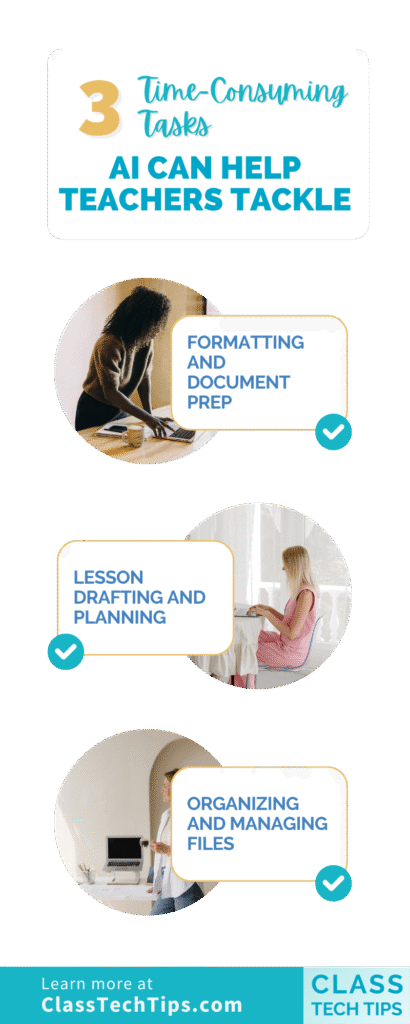
Formatting and Document Prep
The first category, or type of way to save time, is with formatting and document prep. This is when you know what you want to create, like a rubric, a newsletter, or a handout, but the formatting is what slows you down. You’ve got messy notes or a vision in your head, and the tedious part is getting it into a polished, shareable format.
Here’s what might fall into this category: creating rubrics from your notes, drafting newsletters for families, formatting report card comments, building handouts or reference sheets, and turning an outline into a slide deck. The expertise is yours. You know what belongs in that rubric. You know what families need to hear in your monthly update.
How does this work? You might take your messy notes for a fifth-grade research project and ask a chatbot to turn them into a four-point rubric with columns for Exceeds, Meets, Approaching, and Below. In Gemini, you can even export that table directly to Google Sheets and start editing right away. If you want to go further, you could ask Gemini’s Canvas feature to turn a lesson outline into a slide deck and export it to Google Slides. (This has been one of my favorite features to show teachers this winter!)
The starting point is never the final product. But it’s a starting point that would have taken you significantly longer to create from scratch.
If you’re looking for prompt ideas to get started with this category, I’ve got a collection of 50 ChatGPT Prompts for Teachers that includes several you can customize for document formatting. And if you’re a Gemini user, check out my post on 15 Teacher Tips to Use Gemini to Save Time for more ideas specific to Google’s tool.
Lesson Drafting and Planning
This category was the clear favorite when I polled educators in the webinar I led this month. When I asked “Which task eats up the most of your time?” the chat lit up with the letter B: drafting lesson outlines. You might know exactly what you want to teach, but getting from a learning objective to a structured lesson plan takes time, especially when you’re juggling multiple preps.
The “Lesson Drafting and Planning” category includes turning a learning objective into a lesson outline, restructuring an existing lesson into a preferred format, simplifying supplemental resources for different reading levels, and creating differentiated materials.
When I was a fifth-grade teacher, I was once asked to teach the lattice method for multiplication. But I had never heard of this strategy. I literally ran down the hallway to ask a colleague for help. What if I didn’t have a helpful colleague to take me through the steps? Today, I could pop that same question into a chatbot. Then, I would get a set of directions for introducing this strategy and a lesson outline in minutes. It would give me a solid starting point that I could shape with my own expertise.
One of my favorite strategies in this category is asking the chatbot to simplify supplemental resources. You might say something like: “I’m about to share this passage with students, and I’m afraid it’s too hard for them to understand. Highlight any idioms or metaphors that may be confusing and suggest additional vocabulary I should introduce before sharing it with them.” You’re using AI to flag things you might miss at the end of a long day.
Want more tips on how AI can support lesson planning? Take a look at my post on 12+ Quick Ways to Streamline Lesson Planning.
Organizing and Managing
This is the category that doesn’t often get enough attention (I’m working on a blog post on this topic soon). But it’s one of the most powerful ways AI can save you time over the long haul. Organizing your digital files, sorting resources by standard, and setting up systems that keep everything easy to find. These are the kinds of tasks that always end up at the bottom of my to-do list because they feel overwhelming.
Here’s what fits in this category: creating a file naming system for your digital resources, sorting existing activities by standard, building a vocabulary list organized by unit, and cataloging your classroom library.
You might ask a chatbot something like: “I teach 8th grade ELA and science. Create a file naming convention I can use for all my digital resources. Include the subject, unit number, resource type, and date. Give me 10 examples using real topics from a typical 8th grade curriculum.” Suddenly you have a system you can commit to, instead of staring at a messy Google Drive wondering where to start.
This is especially powerful at the end of the school year when you’re reviewing what to keep. And it’s helpful at the start of the year when you want to begin with a clean, organized system. You could even set a recurring reminder, like for every Thursday morning. Then, you can spend 15 minutes organizing your Drive using the naming convention AI helped you create.
Do you want to explore more tools that can help with organization and workflow? Check out my roundup of 8 AI Chatbots for Teachers. Or take a look at my post on 9 AI Tools from Google Teachers Should Know About.
It’s Not About One Shortcut
When I talk with teachers about this topic in a workshop or webinar, there’s one thing I always come back to. It’s not about finding one magic trick that saves you five minutes. It’s about building habits that create more space for teaching and learning. When you start recognizing which tasks on your to-do list fall into these three categories, you can start making intentional choices about where AI can give you a head start.
AI is not about replacing what you do. It’s about reducing the time you spend on the tasks that pull you away from students. Your expertise is what makes the final product great. When it comes down to it, AI can help teachers get there faster.
For a full collection of prompts and resources, visit my Artificial Intelligence Resources page.