What does the week before winter break look like in your classroom? It can feel tricky to hold on to your academic goals when the holiday energy is high. You also have interruptions like assemblies, activities, and days off at the end of the month. The good news is that you don’t need a brand-new unit or hours of planning to make these days count.
Today on the blog, I’m sharing five activities for the week before winter break that are low-prep, tech-friendly, and connected to what you’re already teaching. I pulled these favorites from past blog posts and recent workshops with teachers. You’ll find examples for elementary, middle, and high school classrooms, along with ideas for different content areas.
Why Plan New Activities for the Week Before Winter Break?
The goal for this week isn’t to fill time. It’s to put a seasonal spin on the learning goals you already have for students. Vocabulary review, reading practice, and creative ways for students to show what they know all fit into this stretch of the school year.
Each idea on this list should take only a few minutes to set up, and many of the tools I suggest might already be open in another tab. You certainly don’t need to try all five (or use the tools I mention if another favorite does the same job). Pick one or two that match your students and your schedule.
5 Low-Prep, Tech-Friendly Activities for the Week Before Winter Break
1. Make Seasonal Comics with the Help of AI
Comic strips are one of my favorite ways for students to retell a story or explain a concept. For a seasonal twist, ask students to set their comic in a winter scene. They can brainstorm a storyline with a partner, then pull everything together in a tool like Google Slides, Book Creator, Adobe Express, or Canva.
If your students are using AI image generators (in classroom-friendly tools like Adobe Express or Canva), they can create artwork for each panel. If you work with younger students, you can generate a few winter images ahead of time and have students add the speech bubbles and captions.
- Elementary: In science, students create a three-panel comic where a snowman explains the water cycle as it melts.
- Middle school: In math, characters plan a winter trip and use percents to stay within a budget.
- High school: In a world language class, students write a dialogue in the target language about winter traditions. In chemistry, a comic can explain why salt melts ice on the roads.
For more inspiration, listen to this episode of the Easy EdTech Podcast on comics in the classroom and an AI connection. This episode is from 2024, but next month I have a new blog post featuring some favorite comic websites. Make sure to get on my newsletter list so you don’t miss it.
2. Design Custom Coloring Book Pages
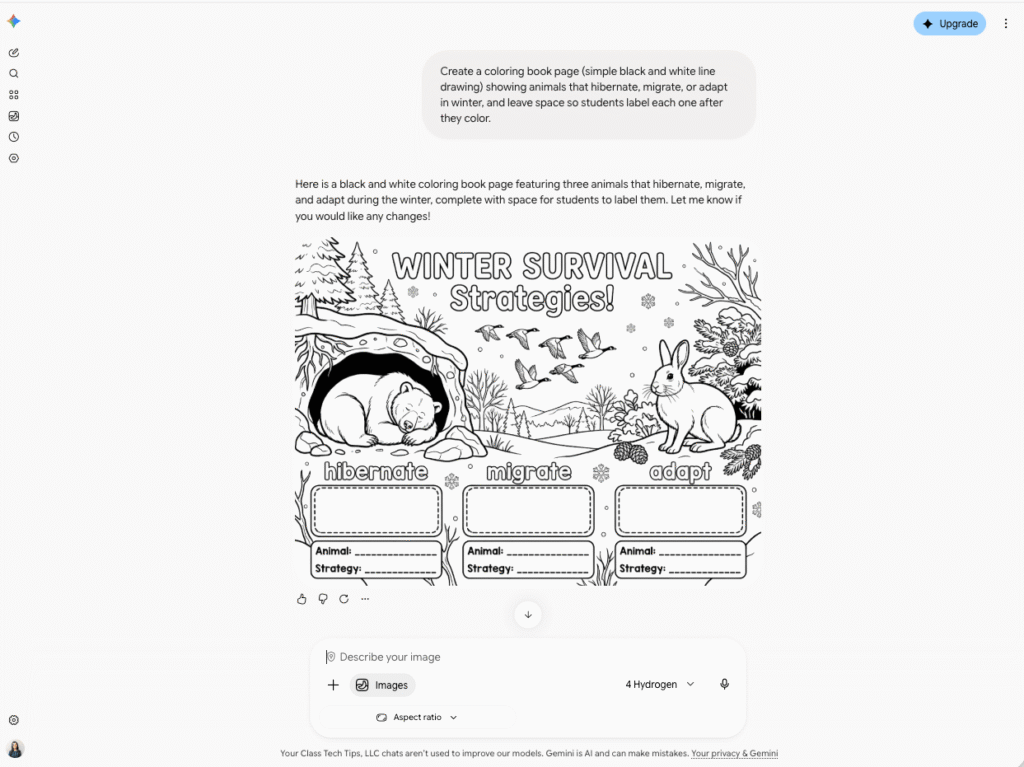
Coloring pages aren’t only for our youngest learners. With an AI image generator like ChatGPT or Adobe Firefly, you can make a custom page that connects to your content in a minute or two. Adding phrases like “coloring book page” and “black and white line art” to your prompt helps you get the right look.
- Elementary: Create a page showing animals that hibernate, migrate, or adapt in winter, and have students label each one after they color.
- Middle school: In math, generate a snowflake pattern and ask students to identify lines of symmetry as they color.
- High school: Have students write the prompt themselves. In a history class, they might design a page showing a scene from your current unit, then write a short explanation of the details they chose to include. This can also spark conversations about AI literacy as students evaluate the output and notice what a chatbot might have missed.
I walk through the steps in this post on how to make your own coloring book pages with AI.
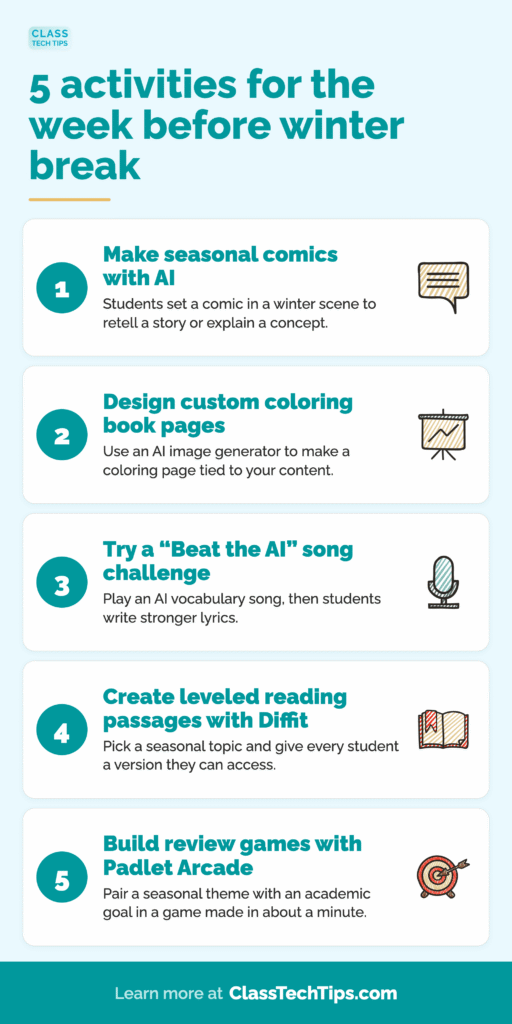
3. Try a “Beat the AI” Song Challenge
This is an idea I recently shared with a group of educators at an AI summit in White Plains, where I was a featured speaker. It starts with you. Use an AI music tool like Suno or ElevenLabs to create a short song that reviews vocabulary words from your current unit. Then play it for your class.
Here’s the challenge: can your students beat the AI? Ask them to listen closely and find the weak spots. Which definitions are vague? Which lines miss the point? Then students write stronger lyrics that show what the words mean. If you have extra time, they can record their own version with better music, too.
- Elementary: A song about weather words like blizzard, temperature, and precipitation, with students rewriting one verse as a class.
- Middle school: In ELA, a song about figurative language where small groups add stronger examples of each term.
- High school: In biology or U.S. history, a midterm review song that students critique for accuracy before writing a version with more precise details.
This activity gives students practice evaluating AI output, a skill they will use well beyond this week. You can find more ideas in my post on ways to use AI music in your classroom.
4. Create Seasonal, Leveled Reading Passages with Diffit
With Diffit, you can type in a topic, choose a grade level, and get a reading passage with vocabulary and questions. That means you can pick a seasonal topic that connects to your academic goals and make sure every student has a version they can access.
- Elementary: A passage on how animals survive the winter that reinforces main idea and key details.
- Middle school: A science passage on the winter solstice that connects to your unit on Earth’s tilt and the seasons.
- High school: In economics, a passage on supply chains during the busy shipping season. In U.S. history, a passage on the winter at Valley Forge.
Try generating the same passage at a few different levels so the whole class can join one discussion. I share more about this in my post in partnership with Diffit on how to differentiate instructional materials in minutes.
5. Build Review Games with Padlet Arcade
Games are a natural fit for this time of year. With Padlet Arcade, you can type in a topic, upload a file, or paste a link, then choose a game type. In about a minute, you have a game you can share with students through a link or QR code.
The key is to pair a seasonal theme with an academic goal. As with any AI tool, give the questions a quick review before you share.
- Elementary: A winter-themed game with multiplication word problems about mittens, snowballs, and cups of cocoa.
- Middle school: A trivia game on winter celebrations around the world for social studies, or a vocabulary game with words from your current novel.
- High school: A midterm review game built from your study guide. Even better, have students create their own games to trade with classmates.
You can see another example of Padlet Arcade in action in the post ways to use AI for book studies.
Getting Started with Activities for the Week Before Winter Break
The best activities for the week before winter break keep students creating, thinking, and reviewing without adding hours to your planning time. Start with one learning goal, such as a vocabulary list you want to revisit or a concept that needs extra practice. Then choose the activity from this list that fits best.
Looking for more seasonal ideas? Check out my post on how to create winter classroom activities with the help of AI, or listen to this Easy EdTech Podcast episode with tips for making classroom activities for winter.
If you try one of these ideas with your students, I’d love to hear how it goes. Sign up for my weekly newsletter and reply to my email with your thoughts, ideas, and questions!