Have you ever watched a student in the back row lean in, squint, and try their hardest to catch what you just said? We ask students to listen and learn all day long. But hearing every word in a busy and buzzing classroom may be a challenge for some of your students.
That is exactly the challenge Lightspeed has spent more than 30 years working to solve. As a former classroom teacher, I am always drawn to tools that make a real difference for both students and teachers without adding an extra thing to your plate. Lightspeed’s instructional audio solutions fit that description, including two you’ll want to take a look at this year. The first is the Redcat all-in-one speaker system and the second is the newly updated Media Connector.
Today on the blog, we’ll take a look at why a classroom audio system matters, what makes the Redcat such a teacher-friendly option and how the Media Connector brings all of your multimedia audio together. I also share a handful of practical ways to put this technology to work in your learning space.
How to Help Students Hear the Teacher
If you listen to my Easy EdTech podcast, you might have heard my conversations with Tony Zeikle from Lightspeed Technologies, about the importance of classroom audio. Lightspeed highlights four common barriers to listening that show up in nearly every classroom. No matter how the room is built, classroom noise, distance, vocal strain, and hearing loss can all impact a student’s ability to hear clearly. A classroom audio system is designed to address each one.
Each of these barriers chips away at learning in a quiet, easy-to-miss way. Background noise covers up the soft consonant sounds that help students make sense of words. And students sitting farthest from a teacher receive only about half the strength of their voice.
As educators we’ve all had weeks where our voice is gone by Thursday or Friday (especially the first few weeks of school when you’re getting back into your routine). Vocal strain is real for teachers, who spend a large part of the day talking. And mild or temporary hearing loss, like the kind that comes with a cold or ear infection, is more common among students than many of us realize.
Meet the Redcat: Clear Audio With No Installation
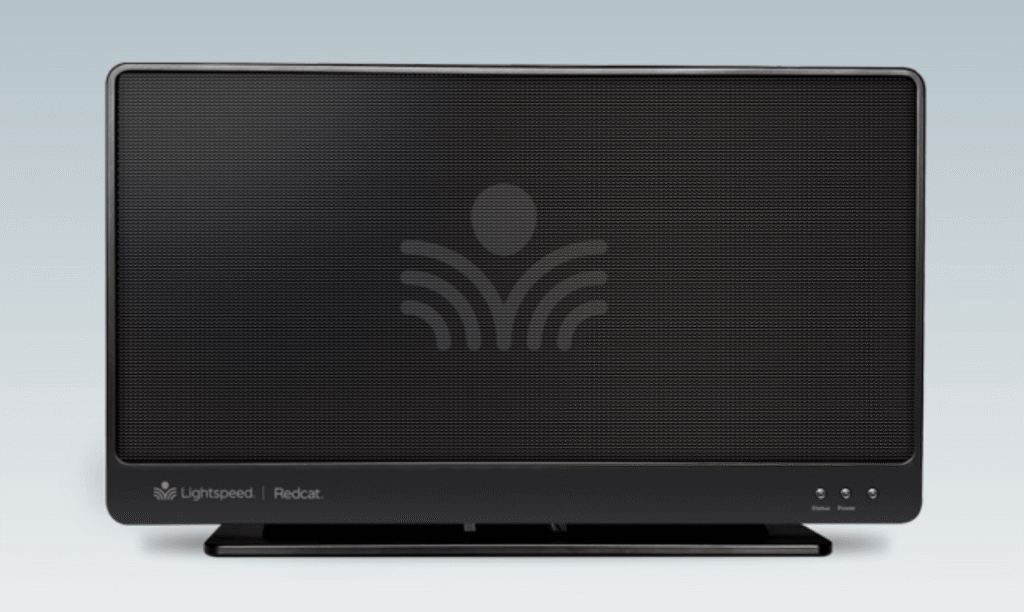
The Redcat is an all-in-one instructional audio system that is ready to go right out of the box. You simply set it on a table or shelf, or mount it on a wall, plug it in, and start speaking.
The Redcat uses a flat-panel speaker with what Lightspeed calls “exciter technology” to fill the room with even, natural sound. Instead of cranking up the volume, the goal is high speech intelligibility, which means students hear your voice clearly whether they are in the front row or the back corner. A single Redcat covers a classroom up to 1,200 square feet, which fits most general education spaces.
Speech Intelligibility in the Classroom
Teachers want to make sure that students hear them clearly throughout the school day and that’s where speech intelligibility comes into play. Here are a few details that stood out to me as especially classroom-friendly:
- It is genuinely portable. The Redcat weighs about 3.5 pounds, so moving it between rooms or out to a different learning space is easy.
- An optional battery adds flexibility. With the rechargeable battery, the Redcat can operate for up to 10 hours. This feature opens the door to outdoor lessons and spaces without a convenient outlet.
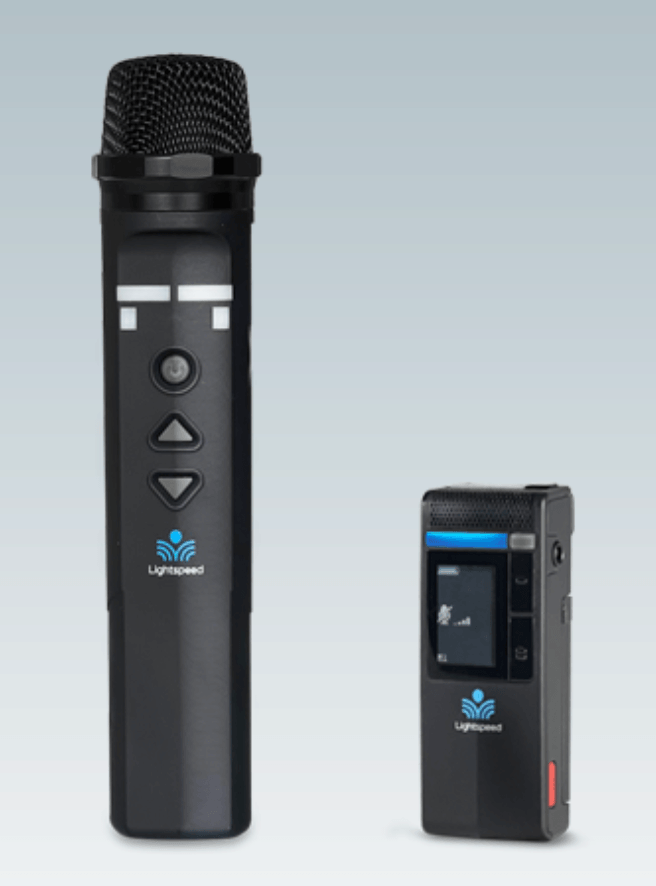
- It pairs with a teacher microphone. Combined with the Clearmike pendant-style microphone, the Redcat carries your natural speaking voice throughout the room.
- Students can join in. Add a second microphone, like the Sharemike, and students can share their voices with the whole class too.
The Redcat runs on Lightspeed’s Access Technology, a 1.9 GHz wireless platform built for schools. It is designed to offer longer wireless range with no interference and no impact on your wireless network. There is even point-to-pair functionality, so you can simply point the microphone at the Redcat to connect. You can also use two-way audio to support distance learning if you need to include students who are not in the room.
Learn more about classroom audio systems from Lightspeed >>
Meet the Media Connector: Bring All Your Audio Together
The Redcat handles your voice, but classrooms are full of other audio, too. Think about the times throughout the week you play a video clip, share a read-aloud recording or podcast excerpt from your laptop, or pull up audio from a tablet or interactive display. That is where the Media Connector comes in.
The Media Connector is a wireless audio transceiver that sends sound from your classroom multimedia sources straight to your Lightspeed system. It offers three 3.5mm audio inputs plus a digital input, so you can connect computers, displays, and other devices. It sends that audio wirelessly using the same Access Technology platform.
With the newest update, the Media Connector now pairs directly with Bluetooth devices. That means you can stream audio wirelessly from a phone or tablet without any cables at all. As Lightspeed describes it, teachers gain the freedom to share audio content instantly while students enjoy crystal-clear sound that fills the room. For anyone who teaches with a cart, moves between rooms, or just wants fewer cords to manage, this is a big update.
This new Bluetooth update is just part of a larger set of 2026 improvements Lightspeed will share at ISTELive 2026. There are also new, modern designs for the Redcat and Topcat systems. If you’re heading to ISTELive this month, you can stop by booth #1945 to see these in person.
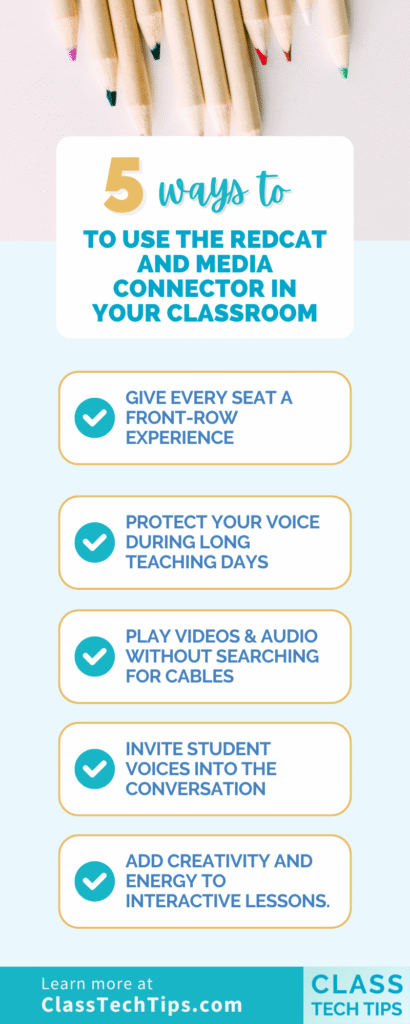
5 Ways to Use the Redcat and Media Connector in Your Classroom
Here are five ways to make the most of a classroom audio system.
Give every seat a front-row experience. Wear the Clearmike with your Redcat so your voice reaches every student evenly. This includes the students by the door, the window, and the back of the room. No more repeating yourself for the students who missed it the first time.
Protect your voice during long teaching days. Instead of projecting over chatter and background noise, let the system carry your natural speaking voice. Whether it’s cold and flu season or just a jam-packed week, an instructional audio system can have a big impact.
Play videos and audio without searching for cables. Use the Media Connector’s new Bluetooth pairing to stream a read-aloud, a video clip, or a song straight from your phone or tablet, so the whole class hears it clearly through the Redcat.
Invite student voices into the conversation. Pass a Sharemike around so students presenting, reading aloud, or answering a question can be heard by everyone. Having access to this type of technology is especially helpful in larger rooms and for classmates who are still building listening skills.
Add creativity and energy to interactive lessons. A classroom audio system is not only for everyday instruction. It can turn an ordinary lesson into one students remember. Use the Clearmike when hosting a review game in your class, or greeting students each morning. You can even use a game show announcer voice to set a fun, welcoming tone for the day. When every voice fills the room with crystal-clear sound, students lean in, participate more often, and feel like part of the action.
A Tool That Supports Both Teachers and Students
Lightspeed’s approach to a classroom audio system keeps both teachers and students in mind. Students get equal access to instruction, because hearing the teacher clearly should not depend on where you happen to sit. Teachers get a system that is simple to use, gentle on the voice, and effortless enough to become an automatic part of every school day, so it is one less thing to think about while you focus on teaching.
Are you ready to check out the Redcat and Media Connector? They are practical, purpose-built tools that quietly make the school day run a little more smoothly for everyone in the room. Head over to their product page to learn more!