Reading takes place in every subject area, and artificial intelligence might be able to help you support the readers in your classroom. Although this technology is far from perfect, I often view it as a way to scale your impact. You can create supplemental content for students at a variety of reading levels, and design learning activities that help them share their reading experiences more widely.
Sometimes I think of this as tackling items on your “instructional wishlist” or the things you know would have an impact but wouldn’t have the time or resources to create otherwise. Whether you’re teaching reading strategies in an English Language Arts classroom, introducing more text into your next science lesson, or helping students with a close reading of a primary source document, the possibilities for leveraging artificial intelligence (AI) can feel endless.
How to Use AI to Support Student Readers
As you’re sifting through tools and trying to make the most of AI-powered educational experiences, you can anchor your practice in strategies and decide on the tool that helps you meet your goal. When I work with educators, our goal is to put the learning front and center and leverage the best tool to help get the job done.
Here are seven strategies, and almost a dozen tools, that can help you support student readers across the content areas.

Create a Podcast
An audio companion to a piece of reading material is a great way to introduce or extend a text experience. NotebookLM has received a lot of attention, but I appreciate the simplicity of Illuminate (also from Google). They have short audio overviews on a selection of books in the common domain. There is also the “Create” feature to make an audio overview related to a link you share.
Read Text Aloud
I often feature audio generated by AI when talking to educators about both the novelty of certain AI tools as well as the ability to scale your impact for students. Speechify might seem silly on the surface sicne they have partnerships with Mr. Beast and other celebrities voices. However, it can help read a wide variety of texts aloud to students.
Make Memory Games
If you’re looking for a vocabulary activity, a memory or matching game might be the perfect fit. Padlet TA lets you add a link to a piece of reference text (like an article hosted online) and set the grade level and objective. Then it creates an interactive matching game for your students.
Design Interactive Graphic Organizers
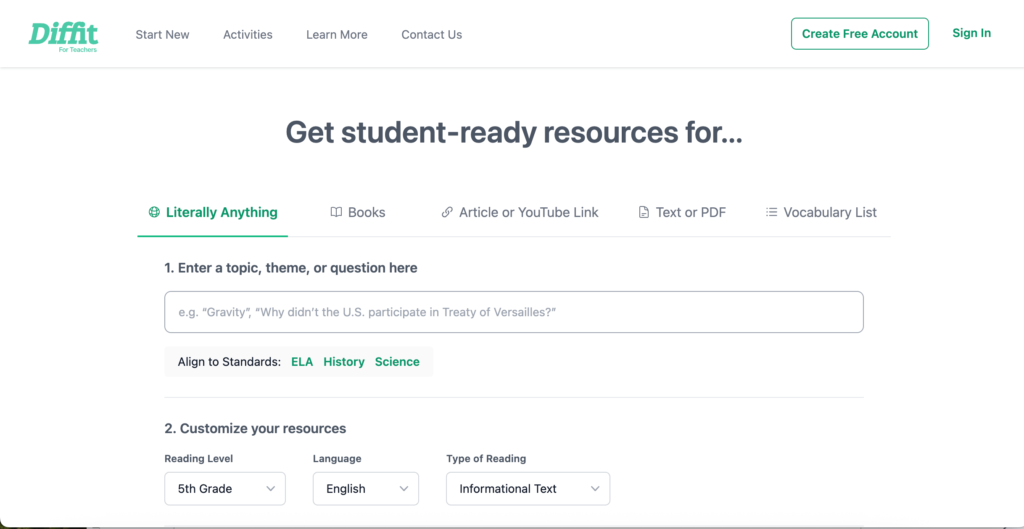
When creating supporting content for readers, you might find that a graphic organizer helps students think deeply about what they have read. Diffit lets you enter in the title of a book, or another topic that might fit with it. For example, composting, the rock cycle, or something else that comes up in a book. Then, it will create a collection of interactive resources to choose from.
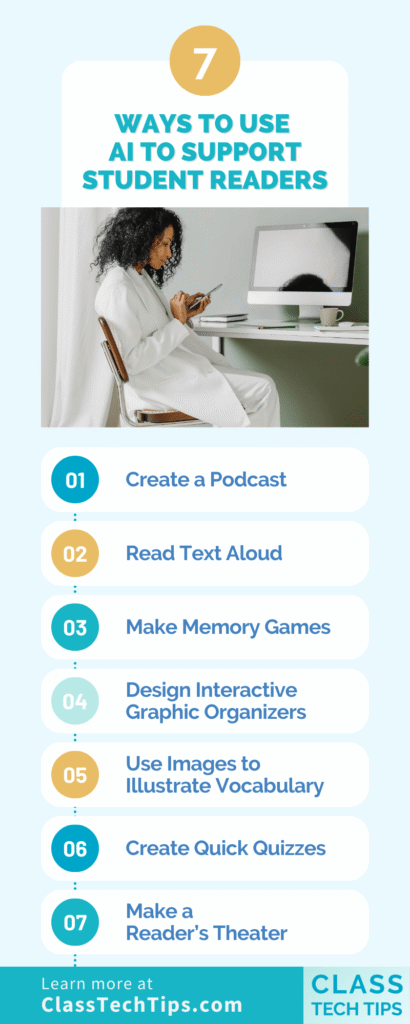
Use Images to Illustrate Vocabulary
Do you want students to keep a journal of their reading experiences? You might ask them to include vocabulary words that are new or noteworthy. There is an Adobe Express integration in Book Creator that lets students add AI-generated images to their page. It’s a perfect option for helping them describe a vocabulary word and create a unique picture for their reading journal.
Create Quick Quizzes
There are a handful of AI-powered tools that help you create quick quizzes based on reading material. This is particularly useful if you have a piece of short text (or a topic in mind) and want to create questions that foster discussion or check for understanding.Aalready have a piece of text in mind? You can use a tool like Brisk Teaching to create questions related to that resource. Brisk even has an Edge and Chrome extension.
Make a Reader’s Theater
Another way to support student readers with the help of AI is to create custom reading materials. As a classroom teacher, finding “just right” leveled resources was always a challenge, and reader’s theaters were no exception.
This type of reading material is essentially a script for students to read aloud and can help them practice fluency and spend time with academic vocabulary and course content, too. Ask a chatbot like ChatGPT or Gemini to, “Generate a reader’s theater script aimed at ninth-grade students to explore the concept of renewable energy sources. Include characters representing solar, wind, hydro, and geothermal energy, discussing their benefits and challenges.”
All of these strategies leverage artificial intelligence in different ways to create supplemental resources to share with students and experiences that ask them to interact with text in new ways.