A lot of the AI tools I’ve explored over the past few years are really good at doing one specific thing: generating text. You type in a prompt, you get a passage or a list of activity ideas back. Although there are times when that is super useful, it’s certainly not the only way to leverage AI in education.
Text generation is only one small piece of what AI can do to help teachers. The bigger challenge is that all of your resources (including things you might create with the help of AI) lives in a different digital place. You might have lesson plans in one tab, student data in another tab, and assessment data in a third.
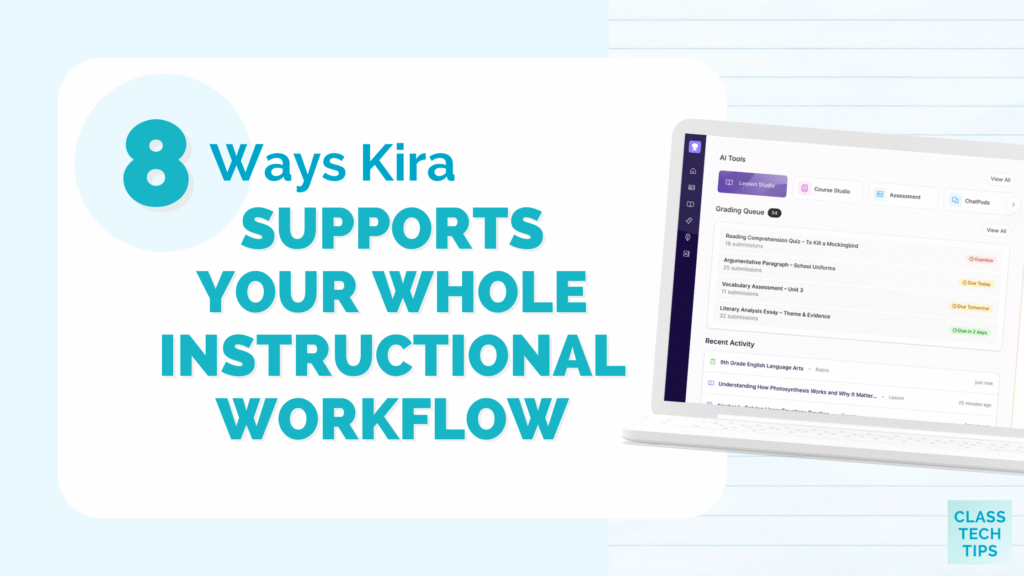
That’s the friction point that Kira is designed around. Kira supports your full instructional workflow inside one system. From lesson creation to student activity, to assessment to insight, Kira supports teachers through the entire planning and instructional process.
Today on the blog, we’ll take a closer look at Kira 2.0 along with eight features worth knowing about!
Turn a Learning Objective Into a Full Lesson
Most AI tools ask you to start with a prompt. Kira asks you to start with a learning goal. It’s a meaningful difference that can help you generate high-quality results.
Inside Kira’s Lesson Studio, you define your topic, subject, grade level, and standards, and it builds a full lesson structure from there. Formative assessment checks are embedded directly in the lesson itself, to help you gather information in real time. This means you’re getting information about where students are during instruction rather than after you’ve already moved on to the next thing.
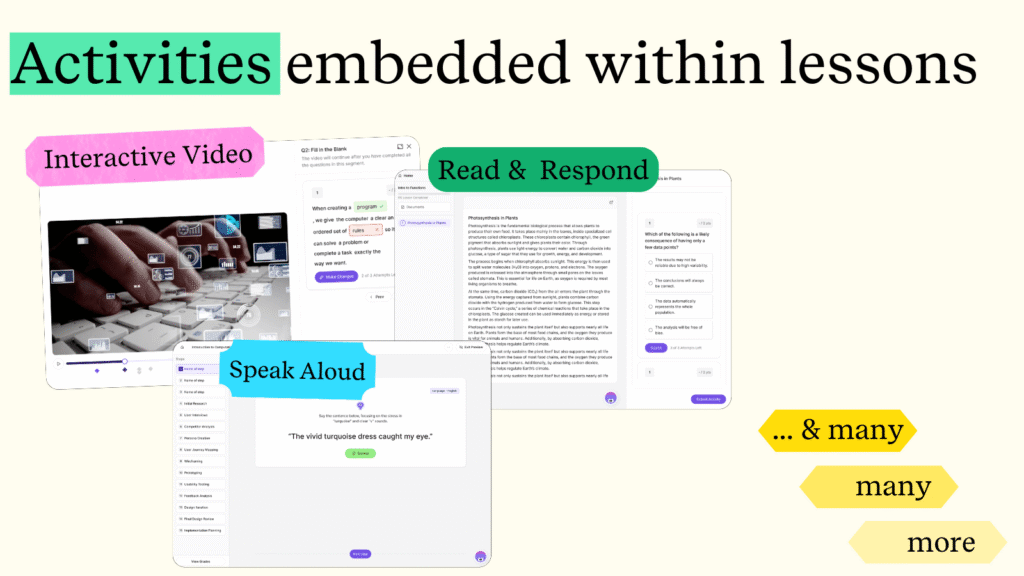
With Kira, you’re still the one making decisions by editing, adapting, and putting your own spin on a lesson. However, you’re starting with a fully built structure instead of a blank page.
See Where Students Are Struggling in Real Time
When I host a workshop or webinar around the concept of formative assessment, one thing I always come back to is the importance of acting on the information you receive. There is no point in collecting information if you’re not going to use it.
With Kira, instruction, student work, and assessment are all happening inside the same system. Since everything is in the same place, Kira can do something you won’t see with most tools. It can provide teachers with concept-level mastery data while students are still working through the material. You’ll gather information on where students are struggling or excelling in real time, in the middle of the unit, instead of a test at the very end.
This information lives inside Student Atlas, Kira’s student insight dashboard. It shows you concept-level mastery per student, class-wide patterns (not just individual scores), and which students might potentially need intervention.
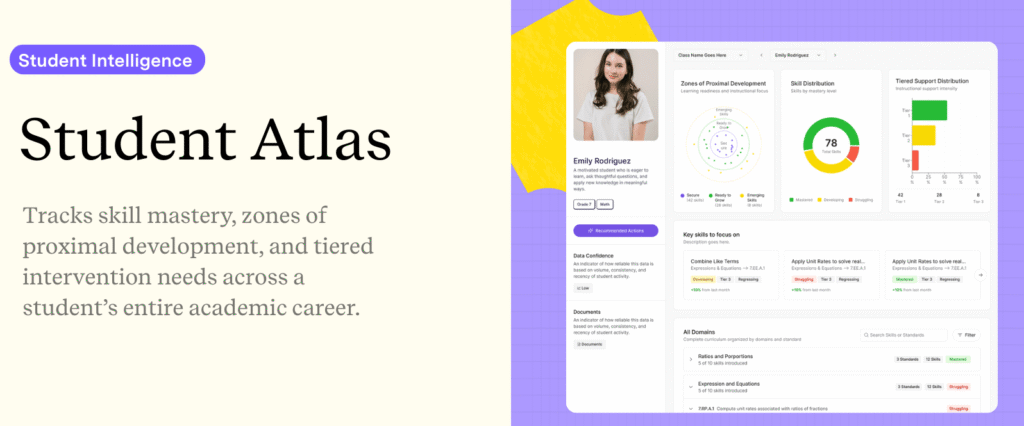
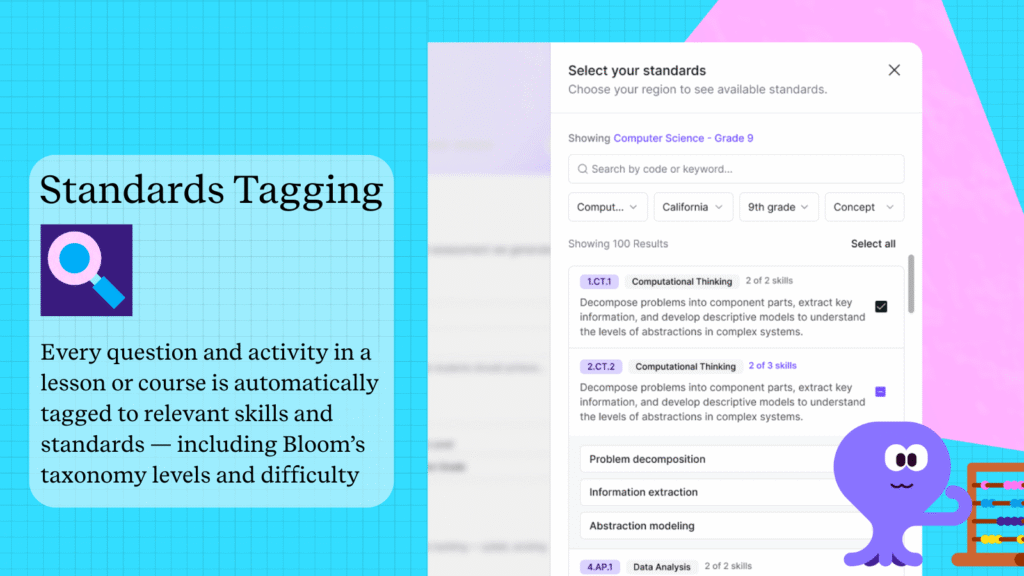
Kira automatically tags lessons, questions, and assessments to standards and to the underlying skills those standards represent. So you’re tracking how students perform on specific concepts over time, not just whether they got a quiz score that passed or failed. At its core, it goes way beyond what your traditional grade book can do.
Teachers also have access to a data confidence indicator that tells you how much information the system has about a student and how reliable the insight actually is. You can even ask Kira to explain how it arrived at a recommendation so you can take that information into account as you design next steps for students.
Generate Targeted Support for Struggling Students (including ELL Students)
Most AI lesson planning tools are designed to respond to a prompt, not the actual needs of your classroom. Since Kira is such a comprehensive platform, it’s connected to the work students have actually done. The supporting resources it generates is based on real classroom performance instead of a generic template. That’s a meaningful distinction when you’re trying to figure out how to best support a student who’s struggling in your classroom.
When a gap in student understanding appears, Kira can generate scaffolded practice activities, targeted follow-up lessons, study guides, and tutoring-style chat activities. And for teachers who support multilingual learners, there are a few specific features you’ll want to check out. Kira has built-in translation, leveled text, and vocabulary scaffolds. You’re not jumping to a separate tool or manually adapting every resource for your ELL students. It’s built right into a space you’re already using.
Differentiate Without Starting Over
One of the things I often mention in a keynote or workshop is how AI has the potential to help educators “scale our impact.” Differentiation is something every teacher knows they should be doing more consistently, but this practice can be hard to sustain because of how time-consuming it is to create different versions of instructional materials.
Kira addresses this issue directly. It can generate versions of the same lesson adapted for readers who need extra support, students reading at grade level, and students who have already mastered a particular skill. You give Kira the one big learning objective for your class and it will use the same goal to create instructional resources with different scaffolding.
Teachers can request resources that support your differentiated instruction goals through Kira’s home page chat. Then you can edit, remove, or add anything you want. You’re still in the driver’s seat, but you don’t have to create multiple sets of materials for your class.
Build an Entire Course Instead of Just One Lesson
Most AI tools help you write a single piece of content at a time. Instead of helping you create just one lesson, Kira’s Course Studio can generate an entire course structure aligned to standards. You can create a course with a full outline, unit sequences, lesson progressions, and assessments all in one place.
For curriculum coordinators or teachers who are building out a new course, this is a complete game changer. Instead of a one-off content generator it can help you create a standards-aligned course skeleton in a fraction of the normal time. You are still in control of the course, and Kira provides a system to manage the content, assessments, and student data all in the same place.
Grade Written Work Faster With Rubric-Based Feedback
As a former classroom teacher, I know how time-consuming it can be to review student written work. You want to spend time with each piece of student writing but its hard to go through everything and provide thoughtful feedback in a timely manner.
Kira evaluates student responses using a rubric and suggests scores and feedback. The final decisions on grades and feedback are still entirely up to you. However, it can suggest rubric-based scores, written feedback on student responses, and explanations for why a student response should receive a certain score related to the rubric you used. The process is faster, but your professional judgment stays at the center of it.
AI-Supported Tutoring for Students with ChatPods
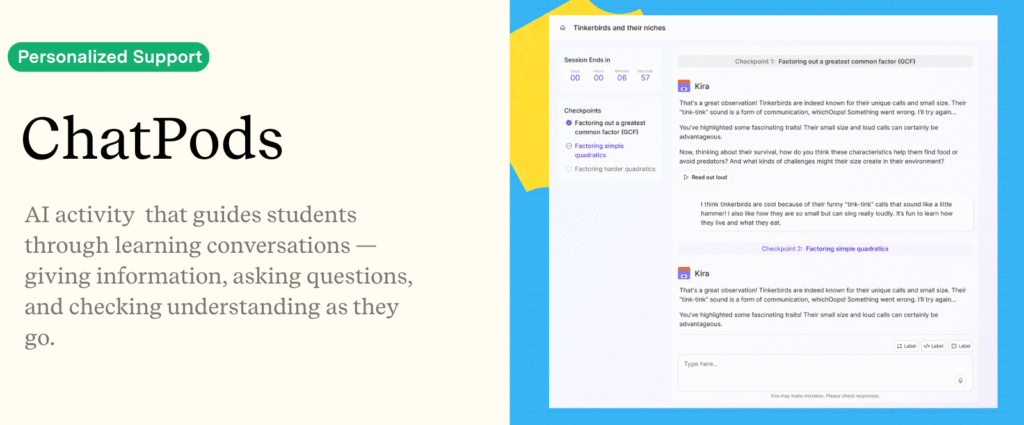
One of the features that stands out the most in Kira 2.0 is ChatPods. If you haven’t seen them in action yet, ChatPods are AI-powered activities that guide students through learning conversations. Teachers can use them for independent practice, small-group work, or review after a lesson.
Inside a ChatPod, students can ask questions, get hints if they are feeling stuck, and work through problems at their own pace with conversational, guided support. The system asks questions, provides information, and checks understanding as students go.
One feature of ChatPods that I haven’t seen in other tools before, is how it supports language switching. A student can tell Kira in the middle of an activity that they need support in Spanish, and Kira shifts the conversation. For multilingual classrooms, this is the kind of practical functionality that can have a big impact on what independent practice looks like.
Create Assessments Quickly and Analyze the Results
Finally, Kira can generate assessments directly from the lessons you’ve already built. With just a few clicks you can create exit tickets, quizzes, and unit tests that are aligned to your content. Once students complete an assessment, you immediately see overall class performance, which questions students struggled with most, and patterns across your whole class.
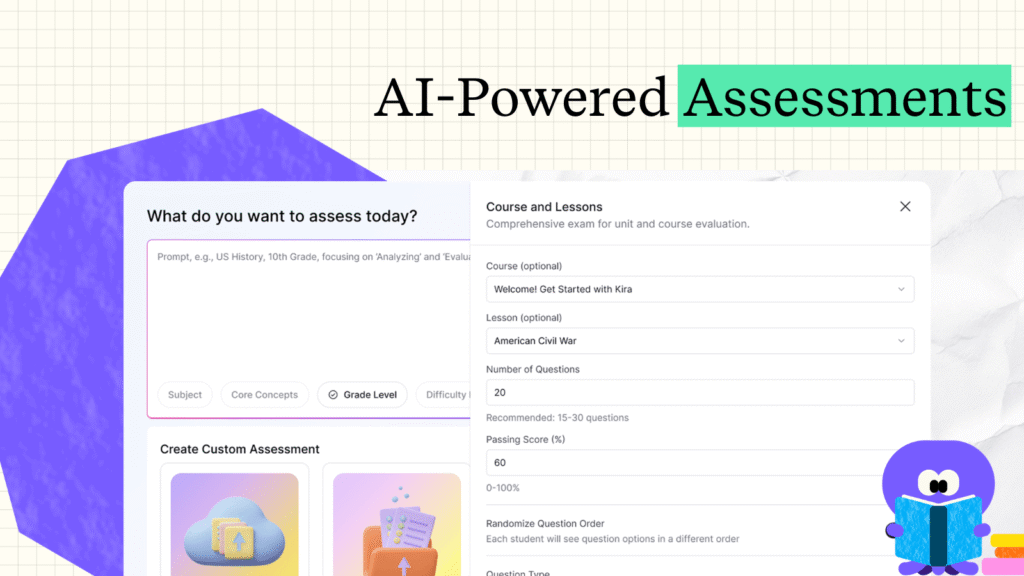
Kira supports the entire formative assessment cycle. You build a lesson and students complete it, Kira figures out (and lets you know) where they’re struggling. Then, you use that data to generate targeted support and students work through practice.The data keeps updating and creates a loop that moves from instruction to data collection to student support and back again.
Try out Kira 2.0 Today!
I first shared Kira earlier this year, and it’s been exciting to follow all of their updates and announcements. The idea of personalized learning isn’t new, but leveraging AI to support students in such a robust manner certainly is.
With Kira 2.0, the data, the content, and the student support are all in one connected place. When the system can see how your students performed on a lesson on Tuesday morning, it can help you build Wednesday’s supporting activity in a just few minutes instead of a few hours.
If you’re looking for a tool that fits into how teachers actually work, you’ll definitely want to check out Kira 2.0. Create your free account here to get started!