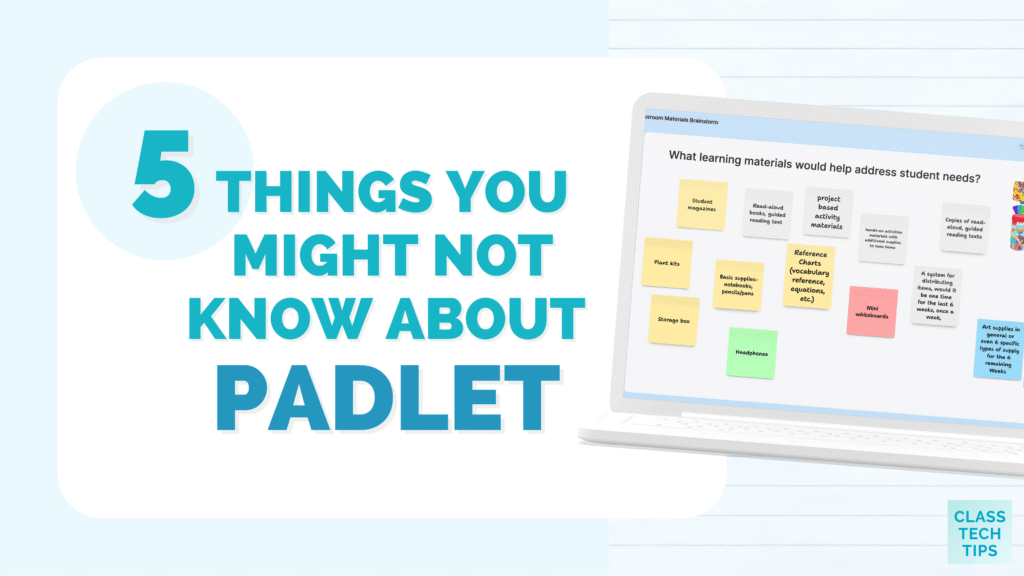
Have you used Padlet? If you’ve joined me for a workshop or webinar, there’s a good chance Padlet has been part of the experience. I’ve used it to collect resources, organize ideas, and invite everyone into the conversation. Whether we are together in the same room or connecting online, it’s one of my go to resources for teaching and learning.
Padlet has been part of my professional toolkit for a long time. Over the past few years, it has changed in important ways that are easy to miss if you haven’t revisited it recently. In the past, you might have thought of Padlet as simply a digital wall with sticky notes. However, there is so much more you can do in this collaborative, interactive space.
Today on the blog, we’ll take a look at the new ways you can use Padlet to structure thinking, support collaboration, and make learning more visible.
5 Things You Might Not Know About Padlet (Because It’s Changed a Lot)
Let’s take a look at five things you might not know about Padlet and why it continues to earn a place in classrooms and professional learning spaces.
Design Interactive Learning Experiences
One of the biggest changes in Padlet is the variety of formats educators can choose from when setting up a board. While the classic wall layout is still there, it’s now one option among many. As soon as you head to Padlet to make a new board, you’ll find options that allow you to decide the perfect structure for your next learning experience.
The timeline stands out as one of my favorite options. Teachers can design boards that use timelines to show sequence and change over time. This works well for history units, writing processes, or science investigations.
You could also use tables to make it easier to organize information, compare ideas, or sort examples and non-examples. Maps allow students to connect learning to geography, which is a perfect choice for social studies, global projects, and virtual field trips.
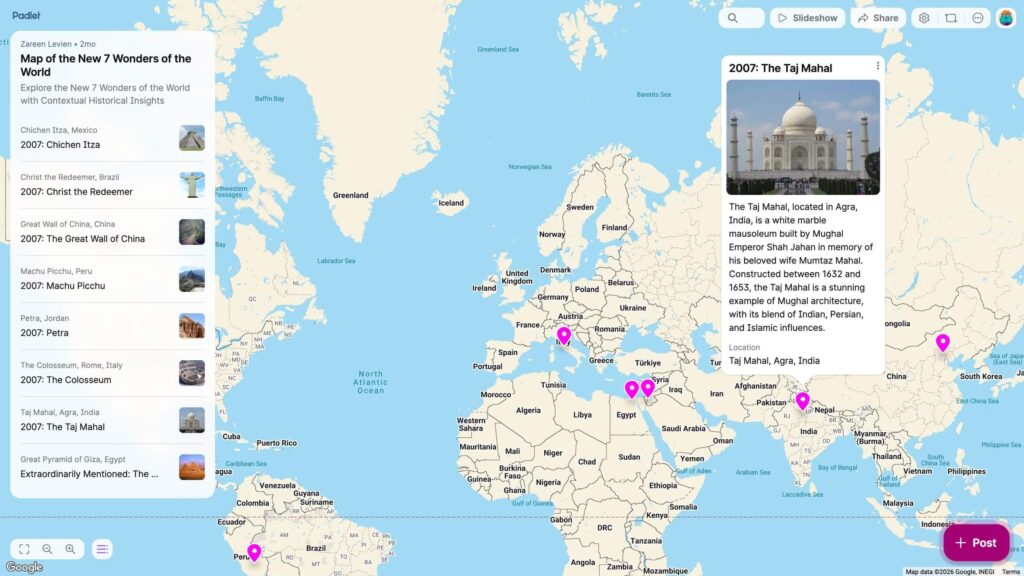
These formats help teachers become more intentional about structure. Instead of asking students to post ideas anywhere in an open collaborative space, you can guide how they share and interact. These new structures support discussion, collaboration, and quick checks for understanding. Padlet becomes less about collecting ideas and more about shaping how students engage with content.
Make Student Thinking Visible
Another thing you might not know about Padlet is the options they offer students to explain their thinking. Padlet supports much more than typed (or text only) responses, which opens the door for deeper reflection and expression.
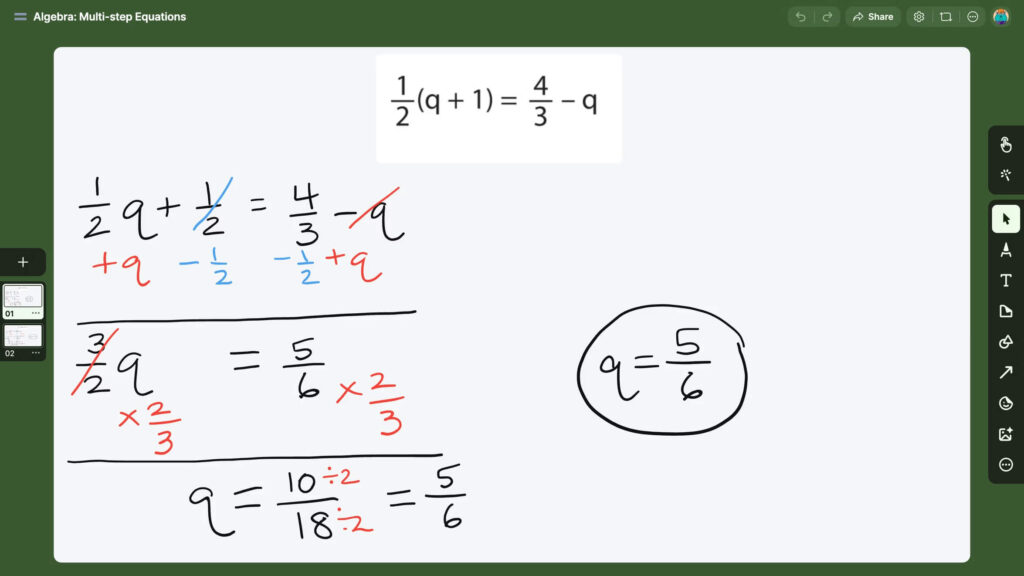
Students can record video and audio directly on a board. They can upload screen recordings to walk through a math problem or explain a process. Even comments can include these media options, which makes peer feedback richer and more personal. If you miss using a video-based response tool like Flip (aka Flipgrid), this is the perfect option for your classroom.
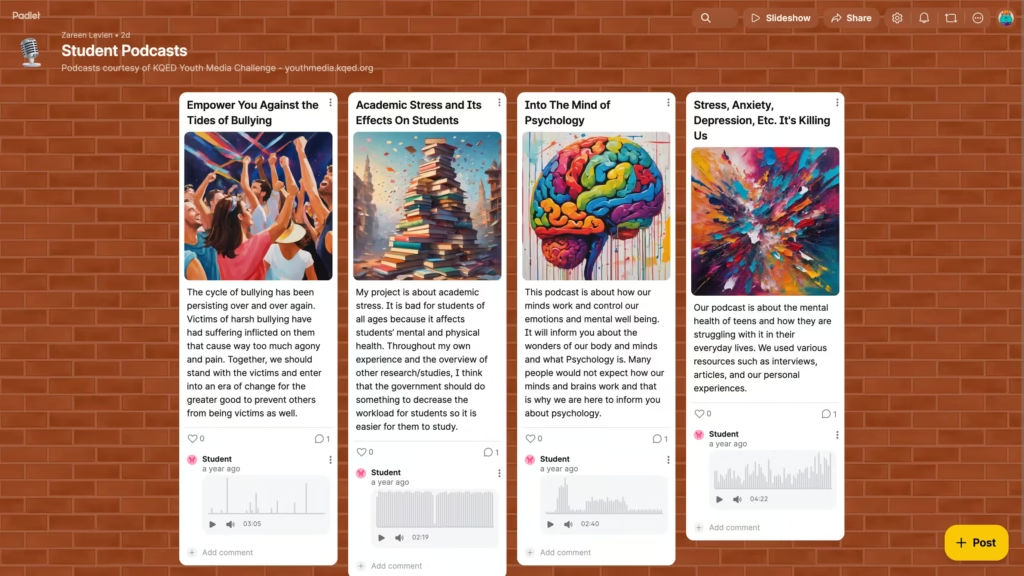
This matters because not all students express their understanding best through writing. When learners can talk through their thinking or show their work, teachers gain clearer insight into what students know and where they might need support. Padlet can also become a space for students to capture their learning over time. They can revisit their posts to make learning visible in a way that supports both assessment and reflection.
Expand Collaboration Beyond Boards
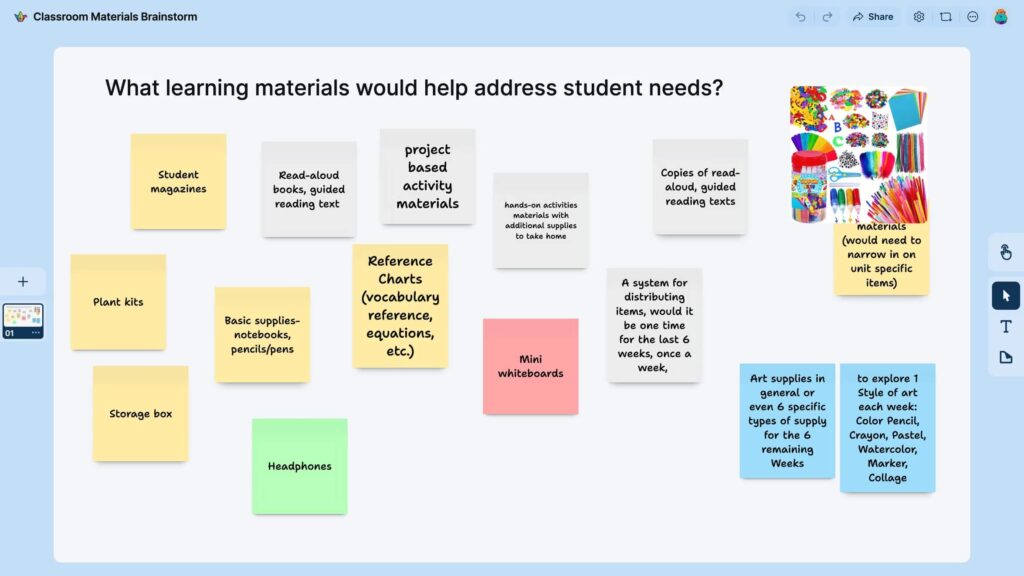
As I mentioned at the beginning of this post, I love using Padlet to support collaboration when hosting professional learning for educators. You can go beyond boards and offer more ways for your students to collaborate. If you haven’t explored Padlet Sandbox yet, this is one of the biggest additions to the platform.
Sandbox is a flexible canvas designed for visual thinking, brainstorming, and collaboration. Instead of working within posts on a board, students and teachers can draw, write, move objects, and build ideas together in a shared space.
Sandbox works well for planning, design challenges, mind mapping, and group problem-solving. It’s also an excellent option for small group work, where students need room to think and build ideas together.
Right now, Padlet Sandbox is free and unlimited through June 30, 2026. You can try it out with students or colleagues through the end of the school year without worrying about limits. It’s a great opportunity to experiment with this type of collaborative learning experience during the second half of the school year.
Add AI in Ways That Support Collaboration
Regular readers of the blog know that I love sharing ways to leverage artificial intelligence to support your workflow. Padlet’s approach to AI is worth paying attention to, and it’s been a favorite to share during professional learning workshops this year.
Teachers can use AI to help create boards as a starting point. That might mean describing an ideal learning experience, organizing sections, or setting up a structure that saves time during planning. Students can interact with AI tools designed to be safe and appropriate for learning environments, including a student-friendly image generator built into the response options.
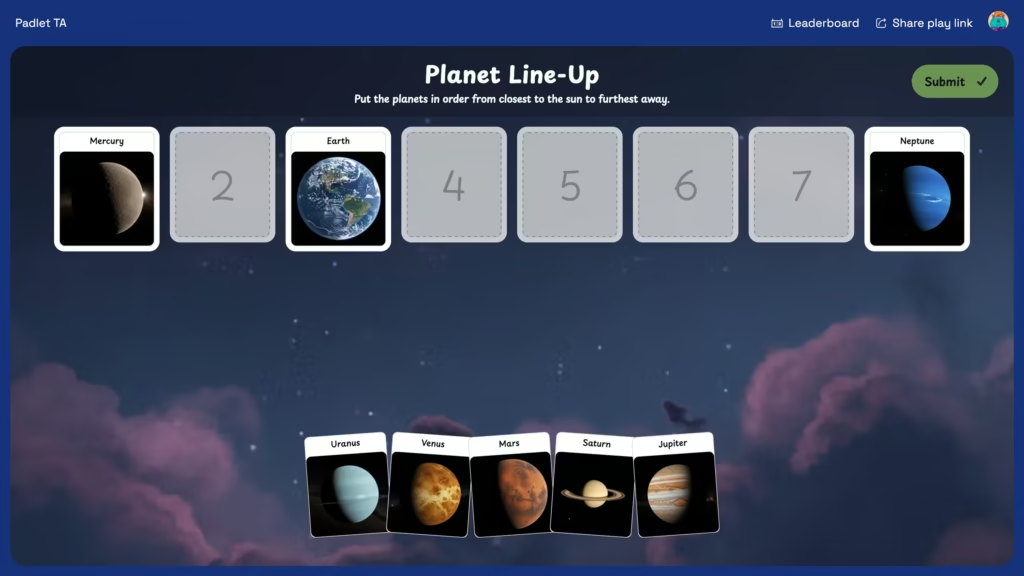
There’s also Padlet TA, which helps teachers create interactive activities for students. The AI features in Padlet are designed to assist with instructional planning and support teachers as they create engaging learning experiences, not replace discussion, creativity, or student voice. If you haven’t checked out Padlet recently, you’ll certainly want to check out their interactive, multimedia learning games.
Support Teacher Growth
Padlet now supports ongoing professional learning for educators. One of the new offerings is the Padlet Belts program. Padlet Belts offer a way for teachers to build skills and earn recognition as they learn more about the platform. Right before I started working on this blog post, I found out that I was a Padlet Black Belt (a little humble brag) which means I am in the top 0.1% of all Padlet creators worldwide.
Another professional learning option for educators are the Padlet Sessions. They provide a monthly webinar series that highlights practical ideas and classroom connections. It’s also important to note that Padlet has received research-backed recognition from organizations like ISTE and ESSA, which matters for schools and districts looking for evidence-based tools.
Why Padlet Matters (More Than Ever) in K–12 Classrooms
I’ve shared lots of favorite ed tech strategies and tools on the blog for more than a decade now, and Padlet was an early favorite. Padlet continues to respond to how teaching and learning evolve, especially in classrooms that blend in-person and virtual experiences.
Padlet supports flexible instruction, helps teachers see student thinking and creates shared spaces for collaboration. Whether you’re working with elementary students, middle schoolers, or high school classes, Padlet can fit into a wide range of instructional goals. It also works well for professional learning communities, staff meetings, and workshops (that’s how I earned my Padlet Black Belt)
Ready to Explore What’s New?
If you haven’t checked out Padlet recently, this is an excellent time to take another look. There’s certainly a lot more available than many people realize. If you’re curious, start small. Create one board. Try one new format. Explore the AI tools. I’m confident you’ll find lots of ways to use this powerful, interactive tool this school year!
You can explore what’s new in Padlet and try Padlet Sandbox free through the end of the school year!