Have you ever watched a student reach for a picture book, flip through a few pages, then set it down? If you’re working with students who need extra support, you may want to consider introducing digital picture books for early readers. As a classroom teacher, my students interacted with a combination of print and digital texts, and you might decide to introduce a mix of text types to your students, too.
With a digital option, students can open a picture book, hear it read aloud, follow along as the words are highlighted, and return to it as many times as they want.
Today on the blog, I’m sharing a great option for digital picture books for early readers. It’s called One More Story, and I’ve included five ways to use this type of reading experience with your students this year.
Using Digital Picture Books for Early Readers
During independent reading time, you want students engaged with high-quality text, building vocabulary, and staying with a book long enough to love it. As students in your class read independently, you may want to pull a small group of students to work with you. And of course, during this time you want to make sure that everyone is focused on their reading task so you can make sure your small group has (most of) your full attention.
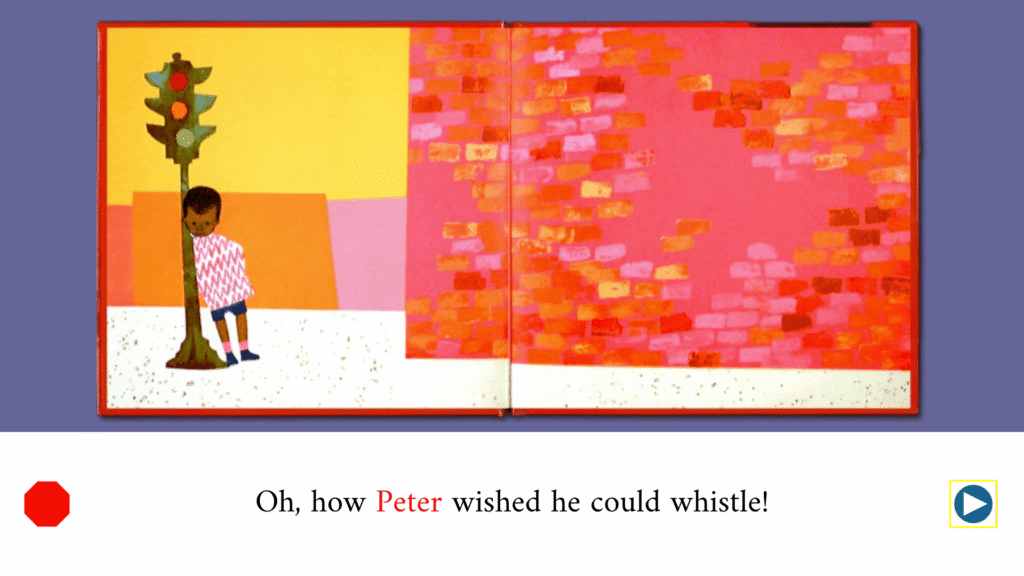
With digital picture books for early readers, you can address and solve a specific problem. They give a pre-reader access to a book that sits above their independent reading level but still a good fit for their listening comprehension. You might have a student who can follow along with The Snowy Day (a wintertime favorite), but would struggle to read that text completely on their own.
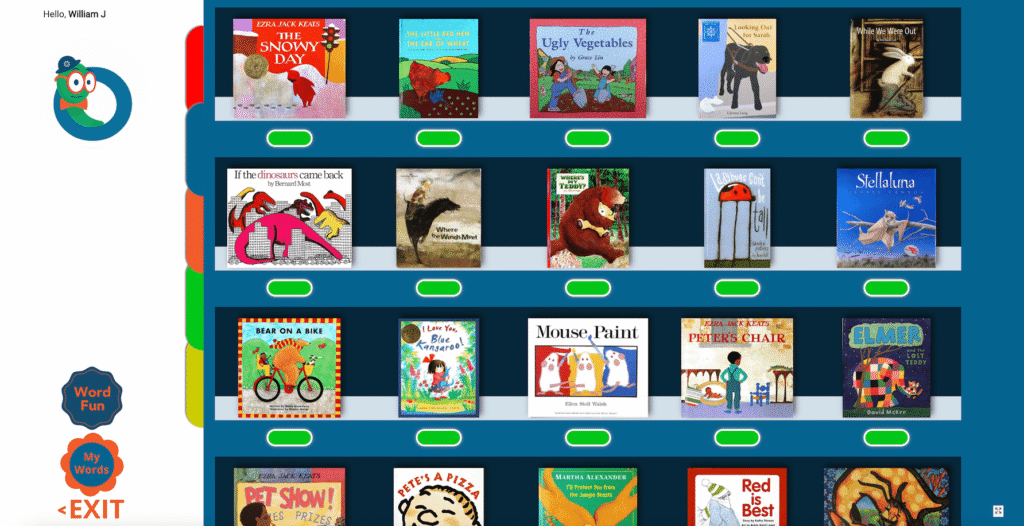
One More Story has almost 100 (90) published picture books from more than a dozen publishers, with more being added on a regular basis. The collection mixes classics that have held up across generations with contemporary titles that your students might already be a fan of. Every book is thoughtfully chosen for interesting characters, strong subject matter, rich use of language, and illustrations.
Take a look at the One More Story library >>
What Makes This A Unique Read Aloud Experience
If you’ve ever searched for a read aloud online, you know how much the quality varies. One More Story takes a different approach to what you may have seen in the past.
For example, there is no animation or visuals that could distract from the text. When a child finishes a book in One More Story, the goal is for them to know they really read a book. It’s designed (on purpose) to not feel like a video. The illustrations stay exactly as the illustrator made them in the original text. Every book has an original music and effects track composed by Robby Merkin, the former Music Director of Sesame Street.
The texts in One More Story include narration from more than two dozen professional voices, and in read aloud mode, the text of each page appears in a text box below the illustration at a size pre-readers can actually track. The words in the text highlight individually in sync with the narration. This means that it quietly teaches left to right directionality, end of line return, and the relationship between the written and the spoken word.
That is a lot of early literacy instruction happening while a child thinks they’re only enjoying a story. You can see it in action in this short demo of The Snowy Day.
5 Ways to Use Digital Picture Books for Early Readers in Your Classroom
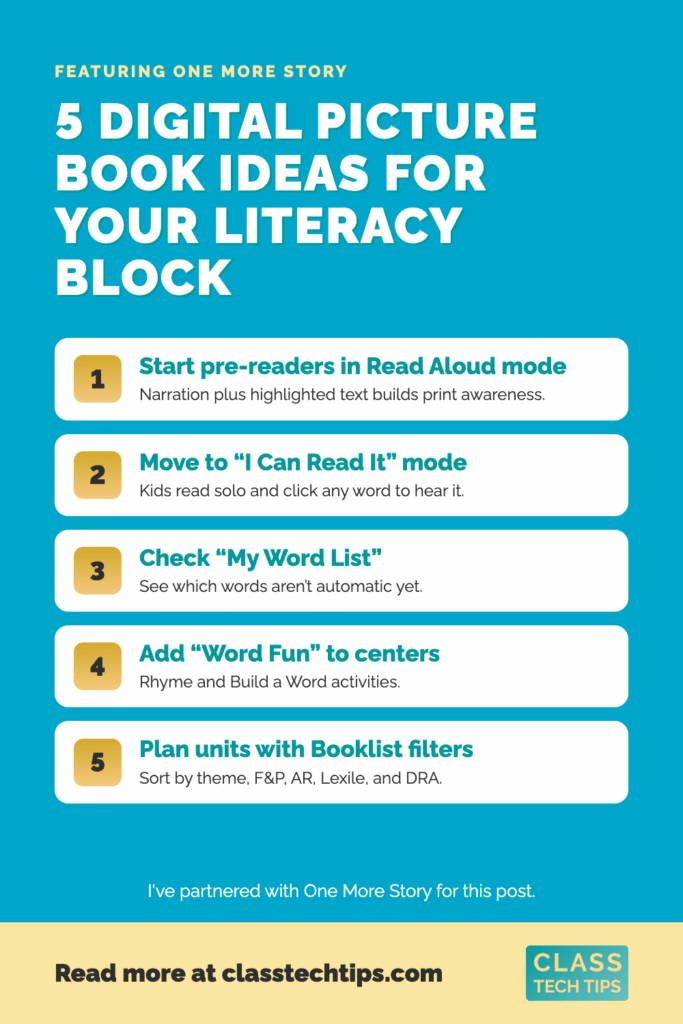
1. Start your pre-readers in Read Aloud mode
For students who aren’t decoding yet, read aloud mode is the entry point. The narration carries the story while the highlighted text builds print awareness. This works well as a listening center or to a start to the morning. It’s also an option during independent reading for students.
2. Move students into “I Can Read It” mode when they’re ready
I Can Read It turns the soundtrack off so a student can read the text on their own. Any word they can’t sound out can be clicked to hear it spoken by the narrator. There’s also an Echo Reading icon inside this mode. A child hears a phrase and then echoes it back, which is an excellent option for fluency practice.
3. Let “My Word List” show you what students are working on
Every word a student clicks in I Can Read It mode lands on their My Word List. They can review these words at the end of the book. For you, that list is a small window into which words aren’t automatic yet. For the student, it becomes a word list they can revisit later on.
4. Add “Word Fun” to your literacy centers
Word Fun sits alongside the books with activities that refresh regularly. Rhyme gives students two columns of words to match, with a play button so they can hear each one. Build a Word starts with a vowel and walks students through letter groupings. Here’s a quick look at the vocabulary activities if you want to preview before you set up a center.
5. Use the Booklist filters when you plan a unit
Click Booklist on the landing page and every title shows a short synopsis. You’ll also see the book’s length in auto play mode, and its rating across Fountas & Pinnell, AR, Lexile, and DRA. You can sort by category too, including Adventures, Counting, Family, Folk Tales, Friendship, Perseverance, Science, Seasons, Self Esteem, and Sharing. When you’re building a unit or searching for a book that fits a particular theme, the filter is a big time saver.
See how One More Story works for your classroom >>
Getting Started with Digital Picture Books for Early Readers
There are so many features in Once More Story that I think are worthy of your attention, and One More Story has won a Parents’ Choice Award and a Teachers’ Choice Award for both the classroom and the family!
To access One More Story, students get in through a browser on any computer, tablet, or smartphone, or through the iOS app. For your youngest readers, class subscriptions use an icon based login. In this mode, students click their teacher’s icon, then their own icon with their initials, and they’re reading.
Ready to get started with digital picture books for early readers? Pick one book that connects to what you’re already teaching. Then, put it in a listening center this week, and watch what your pre-readers do with it. And of course you can try that same book in I Can Read It mode with a student who’s beginning to decode, and notice which words land on their word list.
One More Story offers school, class, individual, and public library subscriptions. So there’s a fit whether you’re outfitting a whole grade level or trying it with one small group first. Explore subscription options for One More Story >>